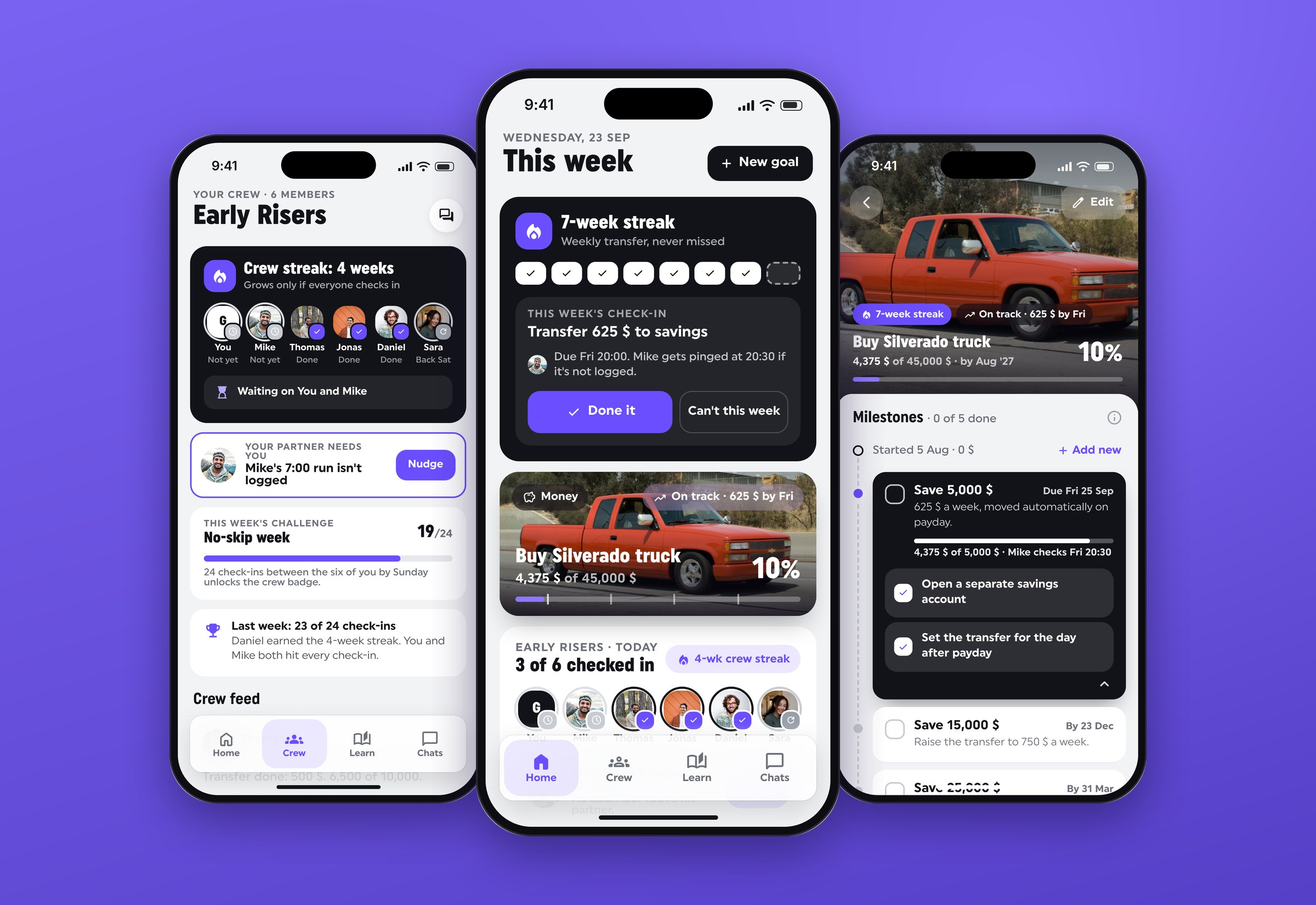
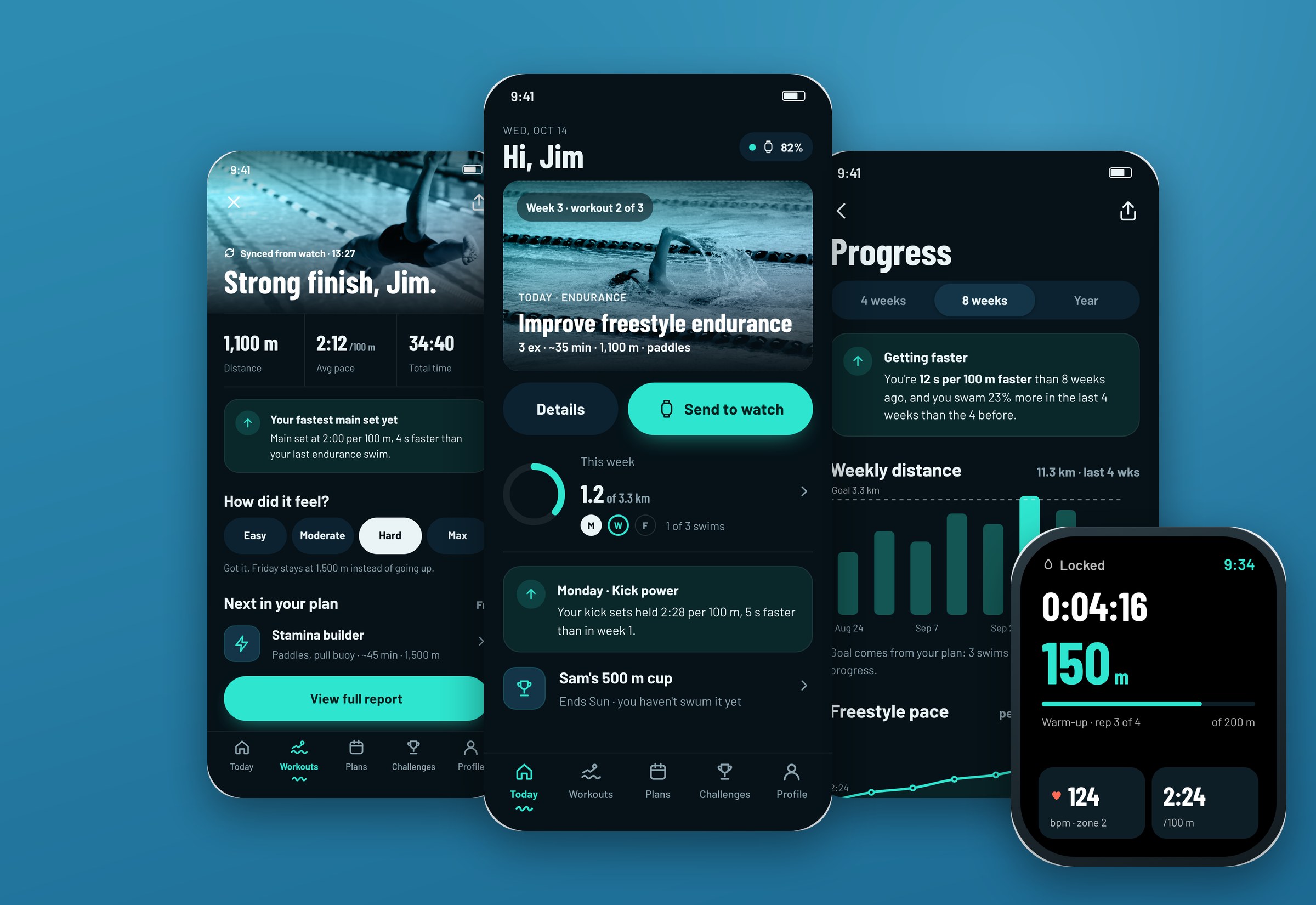
Shipping desktop app
WiSys’s existing Agility Shipping app was outdated — it only ran when launched from within their WMS, couldn’t handle the full range of scenarios their clients needed, and had no standalone mode. It was rebuilt from scratch.
This project had two layers of complexity most shipping app redesigns don’t: the breadth of shipping scenarios to cover, and a hard technical constraint that shaped every design decision.
Outcomes
What changed because of the work.

What I designed
The things I designed and shipped on this project.
- Four shipping modes: small package, LTL/FTL freight, international with customs, standalone
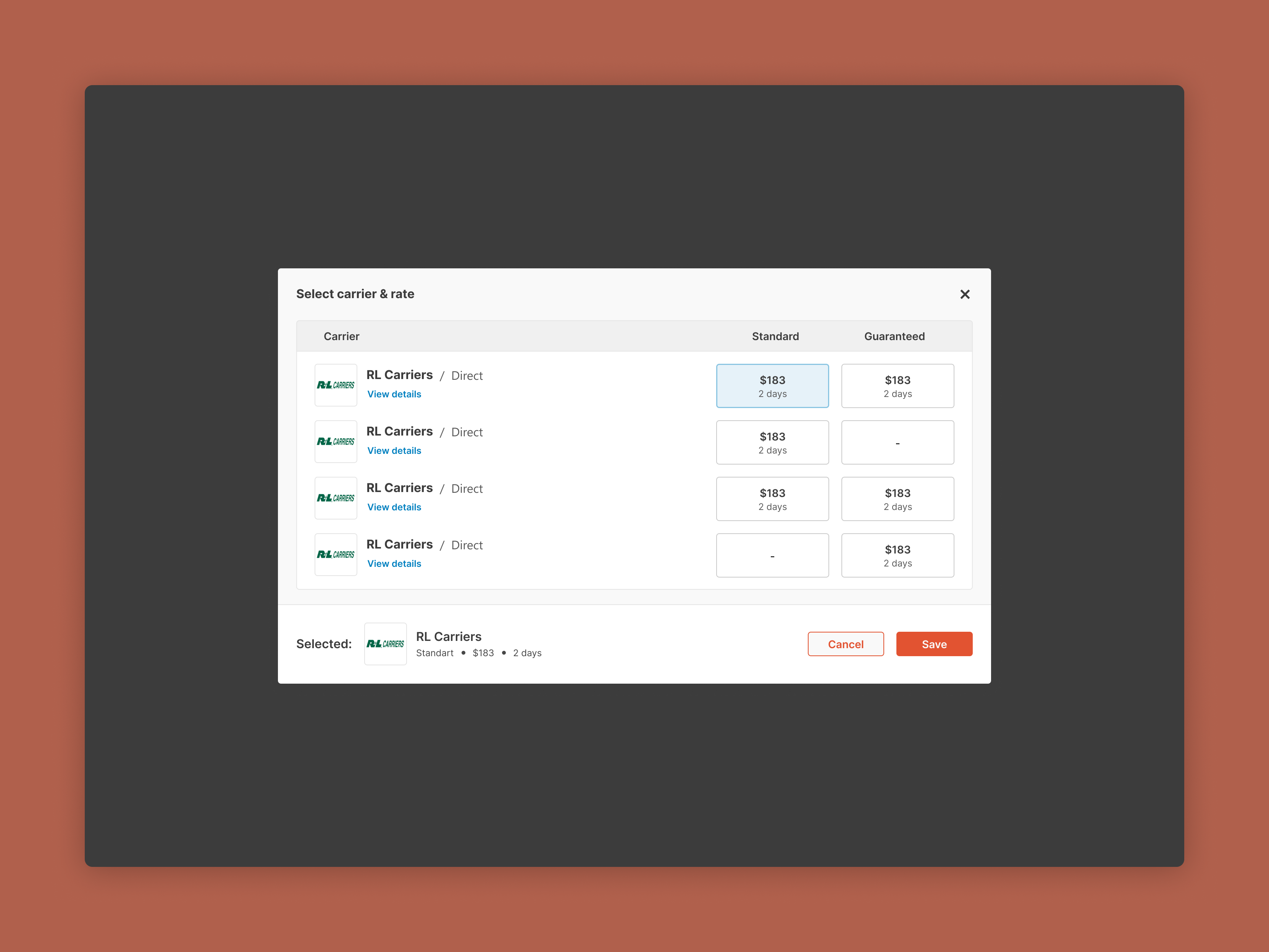
- Rate shopping and address validation in overlay panels
- Hazmat and international documentation setup
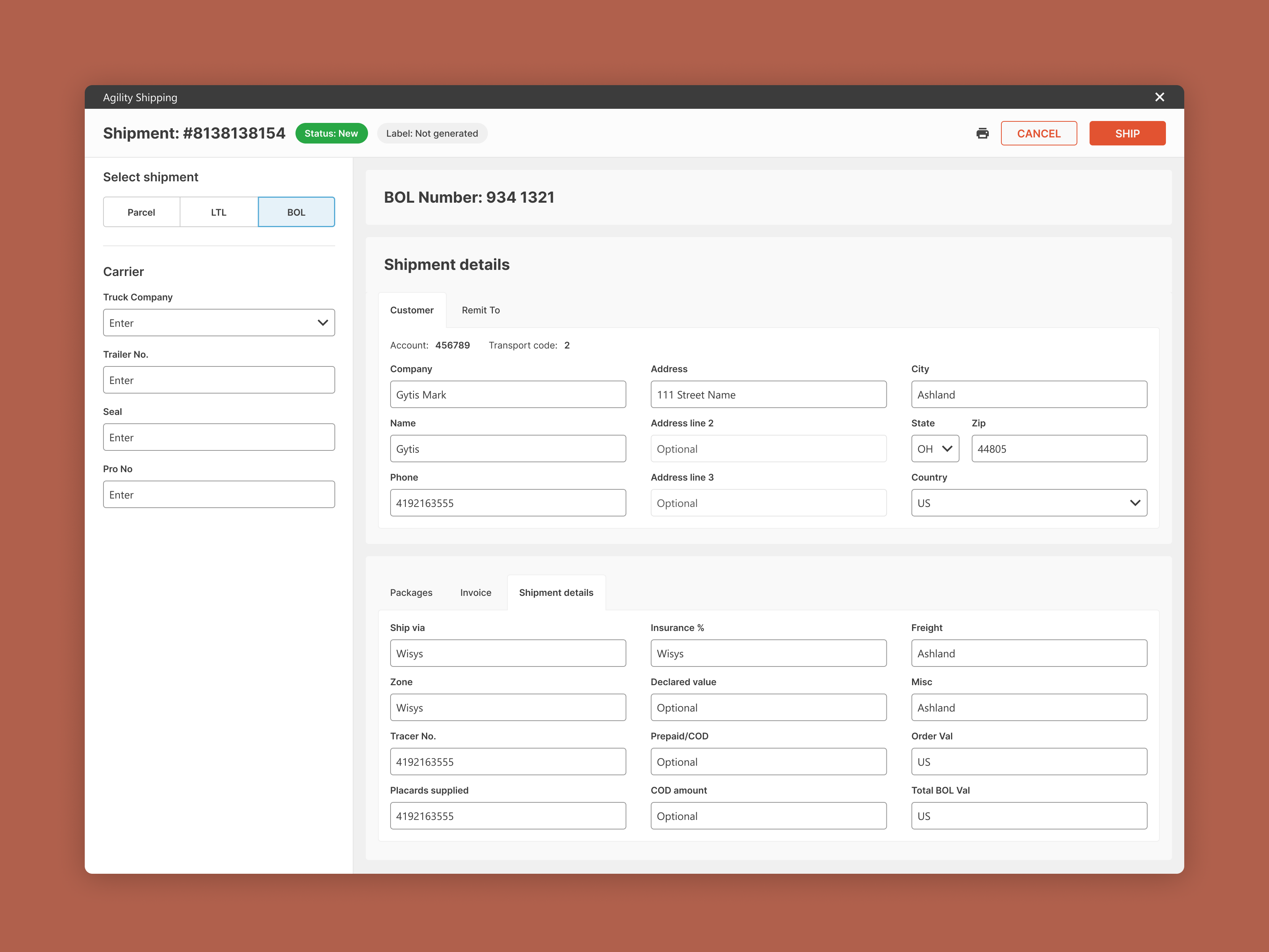
- Bill of lading generation
- Standalone login, profiles and multi-user support
- Brand identity, design system and component library
The brief
The problem, what I designed, and the result.
The old Agility Shipping app only ran from inside the WMS, couldn't handle the full range of scenarios clients needed, and had no standalone mode.
Rebuilt the interface from scratch to cover small package, freight, and international shipping, plus a new standalone mode and design system.
One application for four shipping modes, plus a brand and component library the development team can extend as the product grows.
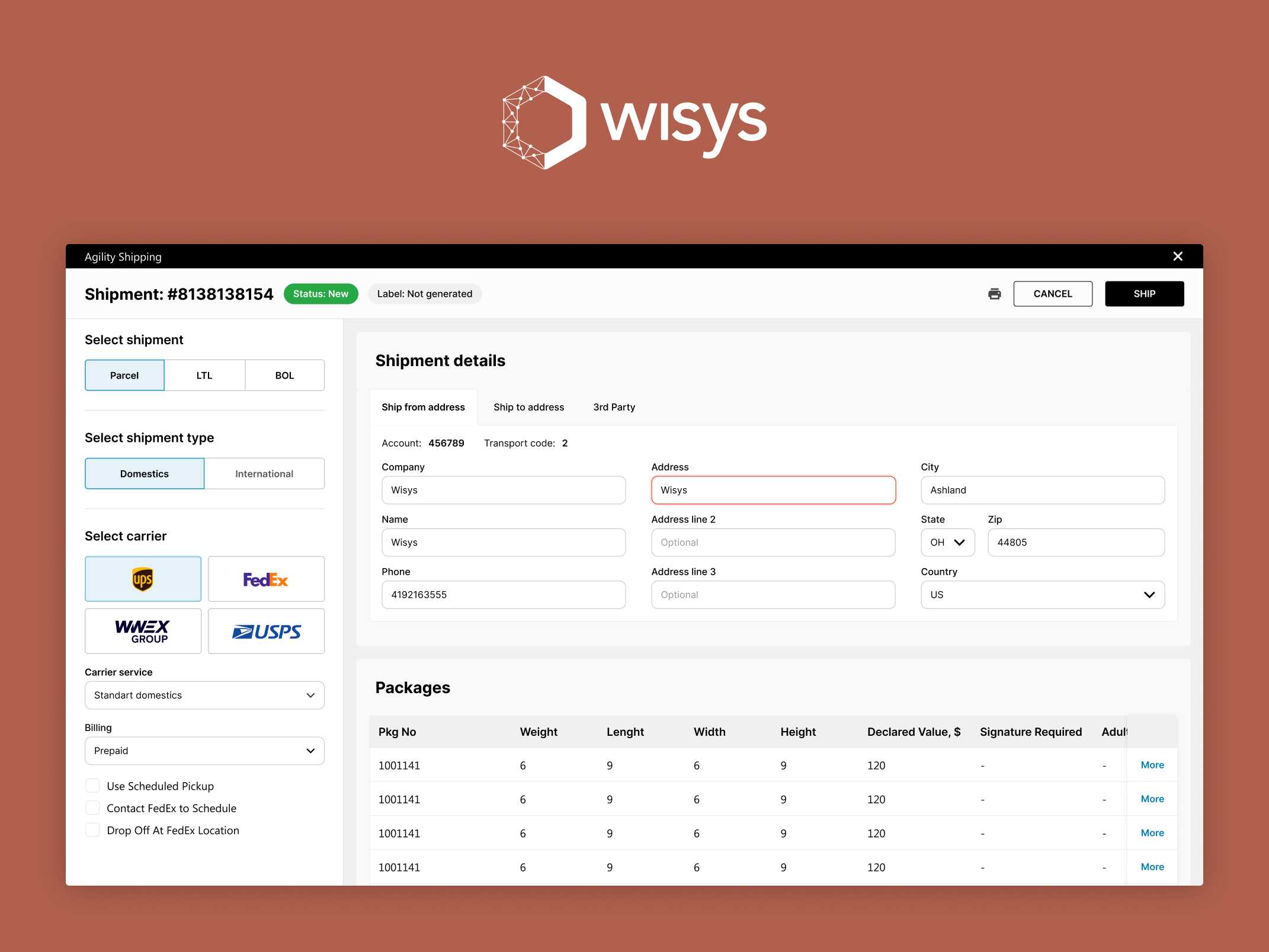
One interface, four shipping modes
The redesigned Agility Shipping handles four distinct contexts from the same application:
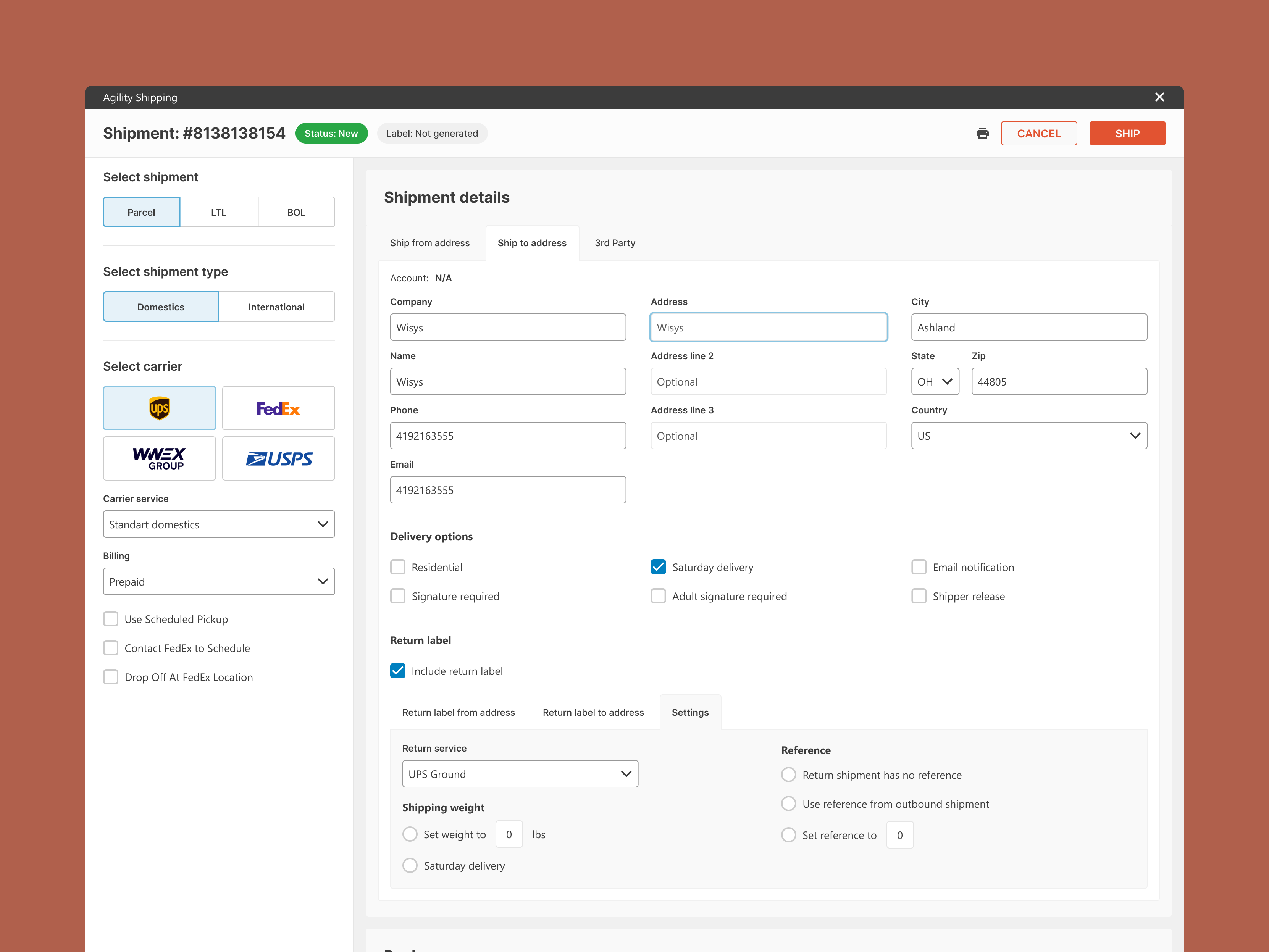
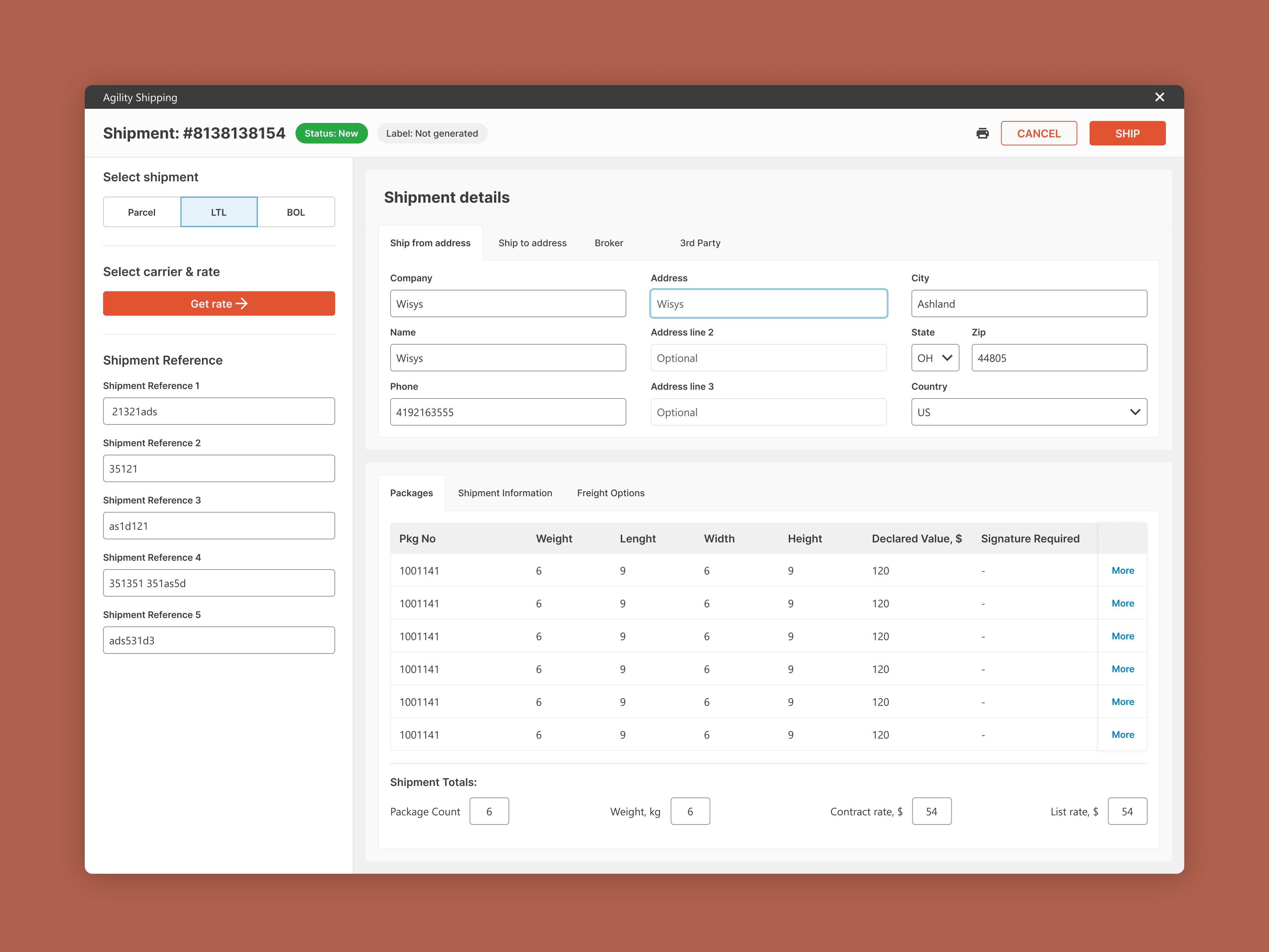
- Small package (domestic) — UPS, FedEx, and USPS with full rate shopping, package-level configuration, and return label generation
- TMS freight (LTL/FTL) — Less-than-truckload and full-truckload via Worldwide Express, including bill of lading generation and freight-specific accessorial charges
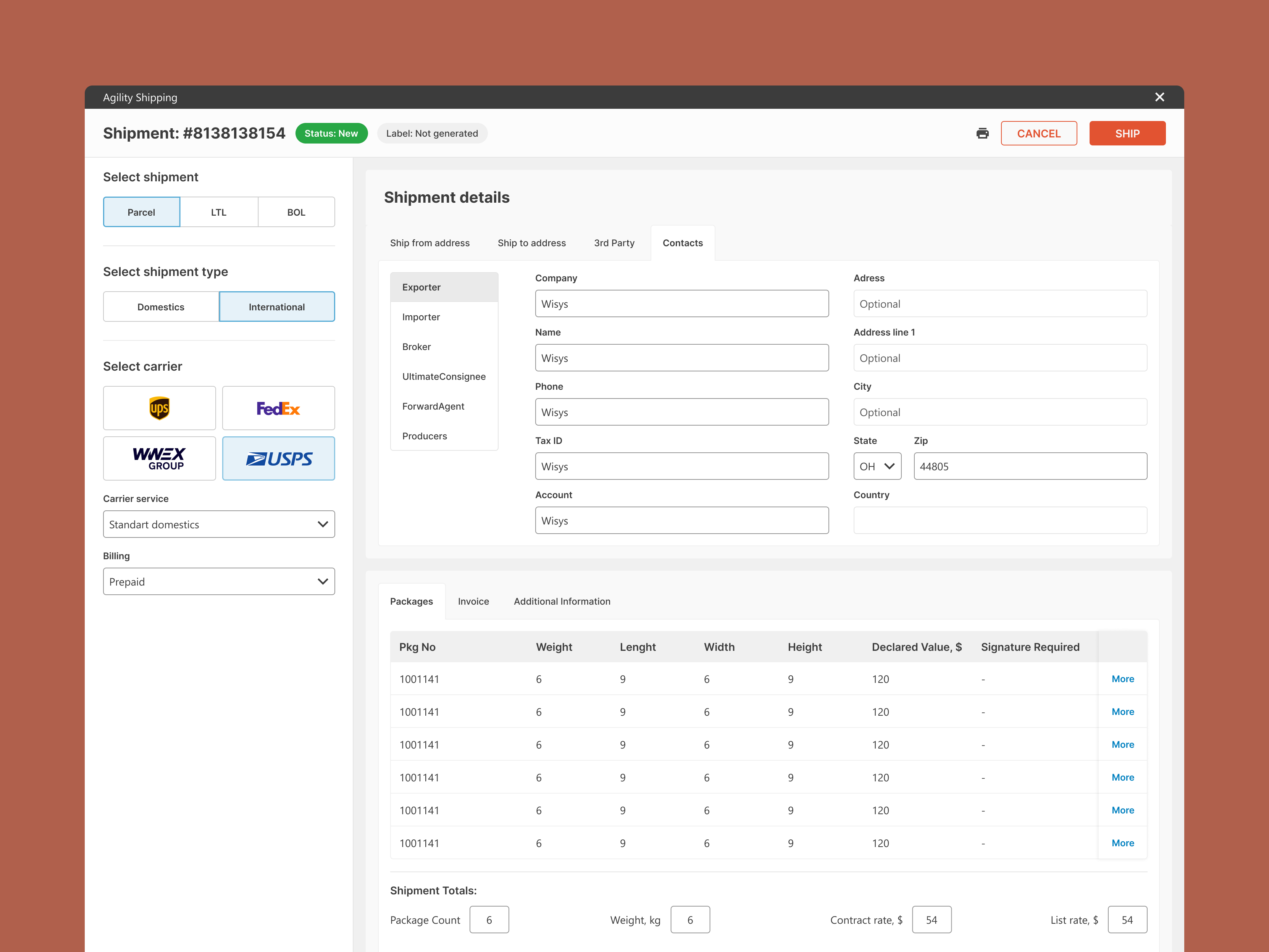
- International shipments — cross-border shipping with customs documentation, harmonised tariff codes, declared values, and hazmat options
- Standalone mode — a fully self-contained version with its own login, settings, and profile management, usable without launching from the WMS
The design challenge: making all four feel like one coherent product rather than four bolted-together tools.
The constraint that shaped everything
The development team specified which UI component library they would be using before design began. The full library documentation was reviewed — understanding exactly what components existed, how they behaved, and what they could and couldn’t do within the constraints of a desktop Windows application.
The design was built around those components deliberately: reusing out-of-the-box elements wherever possible rather than requiring custom builds. Every custom component added development time. By designing within the library’s capabilities, implementation complexity was significantly reduced — keeping the project deliverable within a tight timeline.
This kind of constraint-driven design is common in enterprise desktop software. Knowing how to work within it rather than against it is what keeps the project on track.
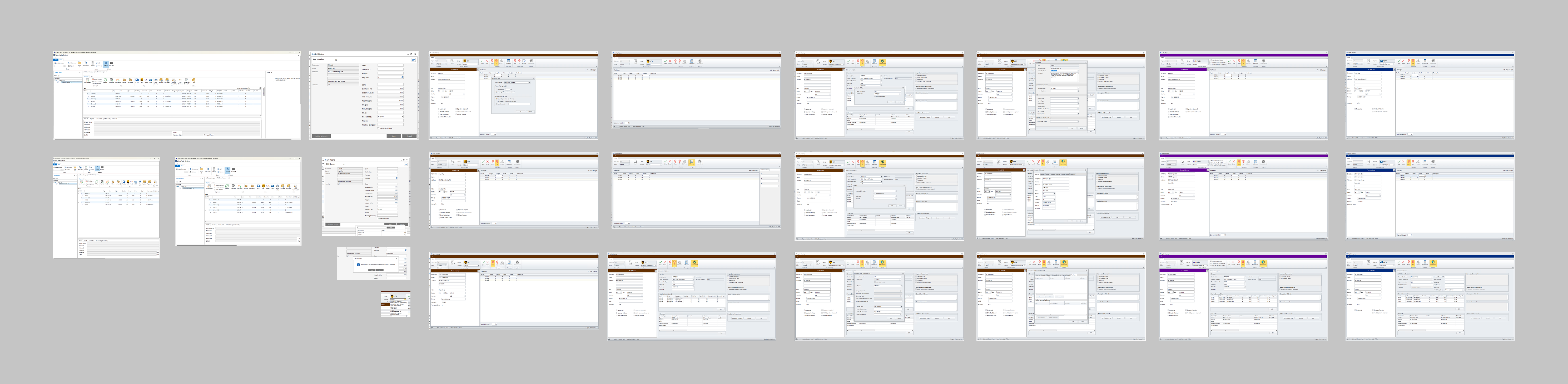
What was designed
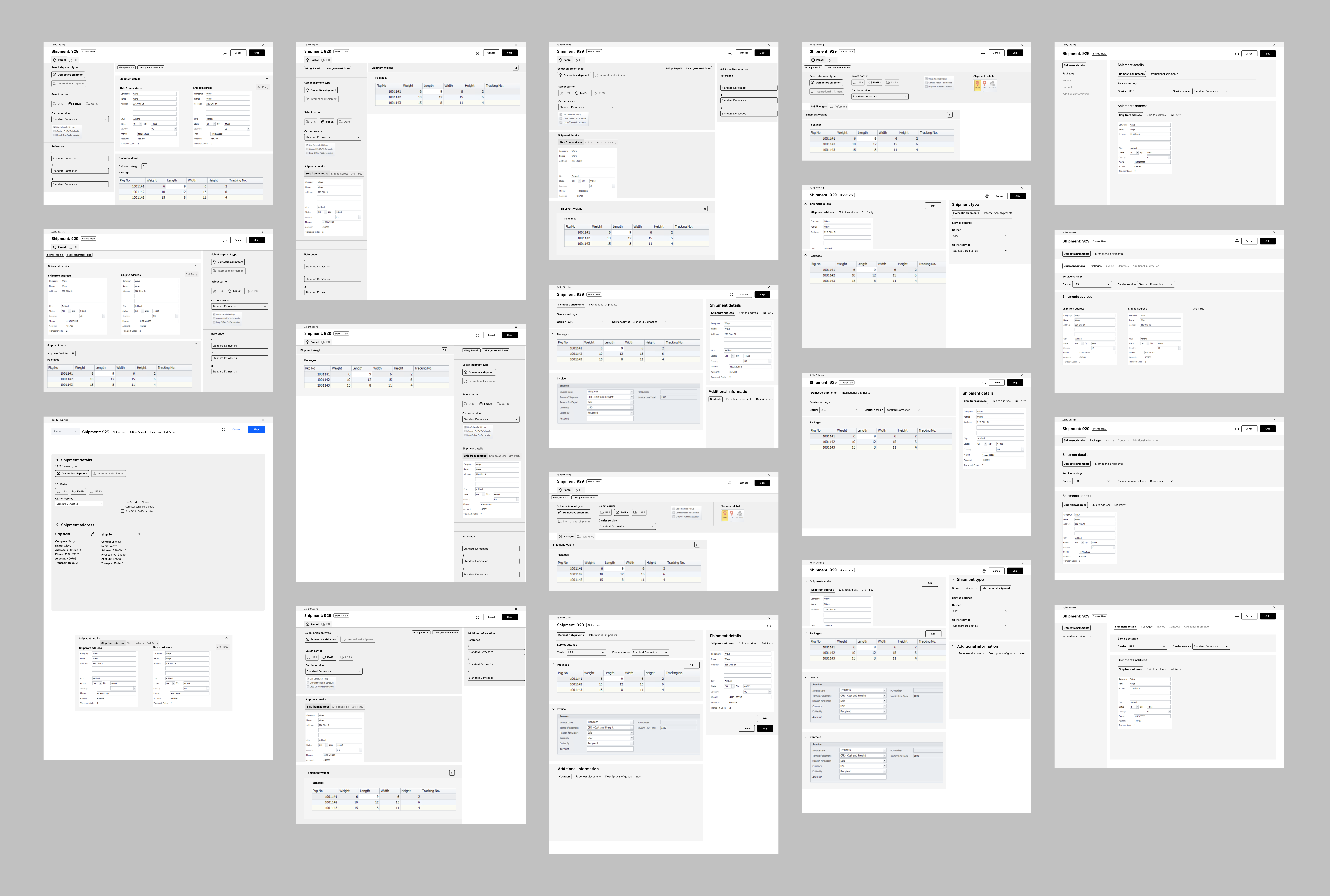
Main shipment screen
The main screen shows the right fields for each carrier and shipment type without constantly reorganising as the user changes options. Core fields remain consistent. Context-sensitive fields (hazmat options, freight accessorials, customs fields) appear only when needed. The screen doesn’t jump around as users make selections — a common problem in shipping UIs that creates both visual confusion and data entry errors.
Rate shopping and address validation
Both were designed as overlay panels rather than separate screens — users can compare rates, check addresses, and select a service without losing the shipment they’ve been building. Shipping clerks moving quickly through a queue of orders don’t have time for multi-step validation screens.
Standalone mode
In WMS-integrated mode, Agility inherits the user’s session from the parent system. In standalone mode, none of that infrastructure exists. A complete self-contained entry experience was designed:
- Login screen with credentials management
- User profile with name, role, and permissions
- Application settings covering default carrier preferences, printer configuration, label format settings, and carrier API credentials
- Multi-user support for shared terminals where different shipping clerks use the same machine across shifts
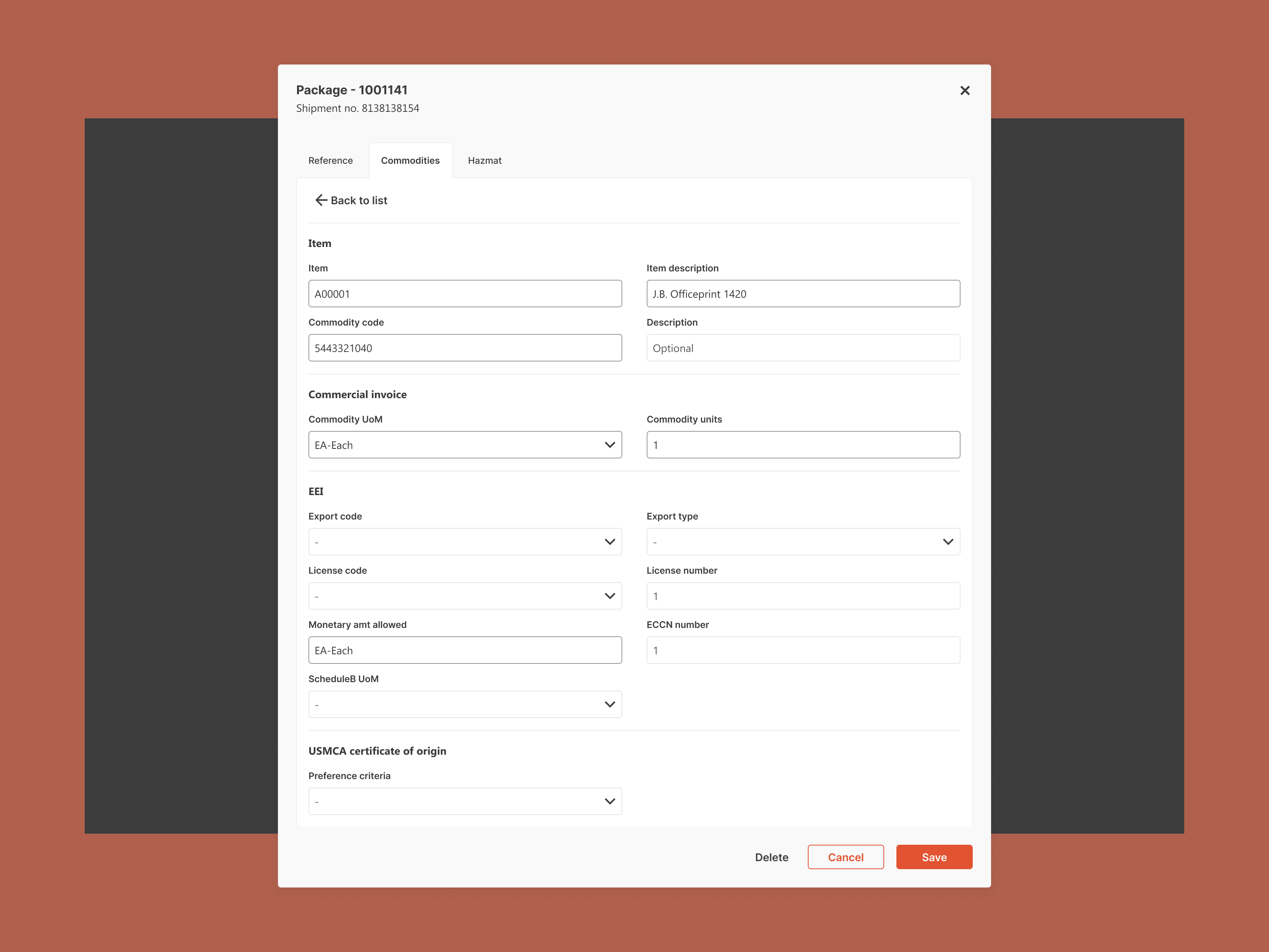
Hazmat and international documentation
Hazardous materials shipping requires additional carrier-specific declarations and package marking. The hazmat configuration was designed to surface only when the user indicates a shipment involves regulated materials — keeping it out of the way for everyday shipments while making it thorough and compliant when needed. The same approach applied to international customs documentation.
Bill of lading generation
For freight shipments, the BOL is a legal shipping document. The generation flow was designed to pull from shipment data already entered, with a review step before finalisation and output options for printing and digital distribution.
.png)
Brand and design system
Brand identity and a complete design system were delivered alongside the product — giving WiSys a consistent visual foundation and a component library their development team can extend as the product grows.


What the team said
More case studies




Book a 20-minute intro call
Slots show in your own time zone.
Let’s see if it’s a fit.
Twenty minutes is usually enough: the role, the product, and how your team works.


Ask AI about my work
AI answer, based on my case studies and CV
Answers show up here as they're written. I keep them short and point you to the case study they come from.
AI can get things wrong. If something matters, check the case study or email me at hi@gytismark.com.