No-code mobile app builder
WiSys has been building warehouse management software since 2004. Cabin 7 is their most ambitious product — a cloud-based platform that lets warehouse and manufacturing teams build custom mobile apps without writing any code. The engagement began before a single design decision had been made, building everything from scratch.
Outcomes
What changed because of the work.

What I designed
The things I designed and shipped on this project.
- Form builder with conditional logic
- Workflow engine with routing, branching and multi-step actions
- API library and connection manager
- Three-column data transformation interface
- Traces execution log for debugging
- App deployment and preview
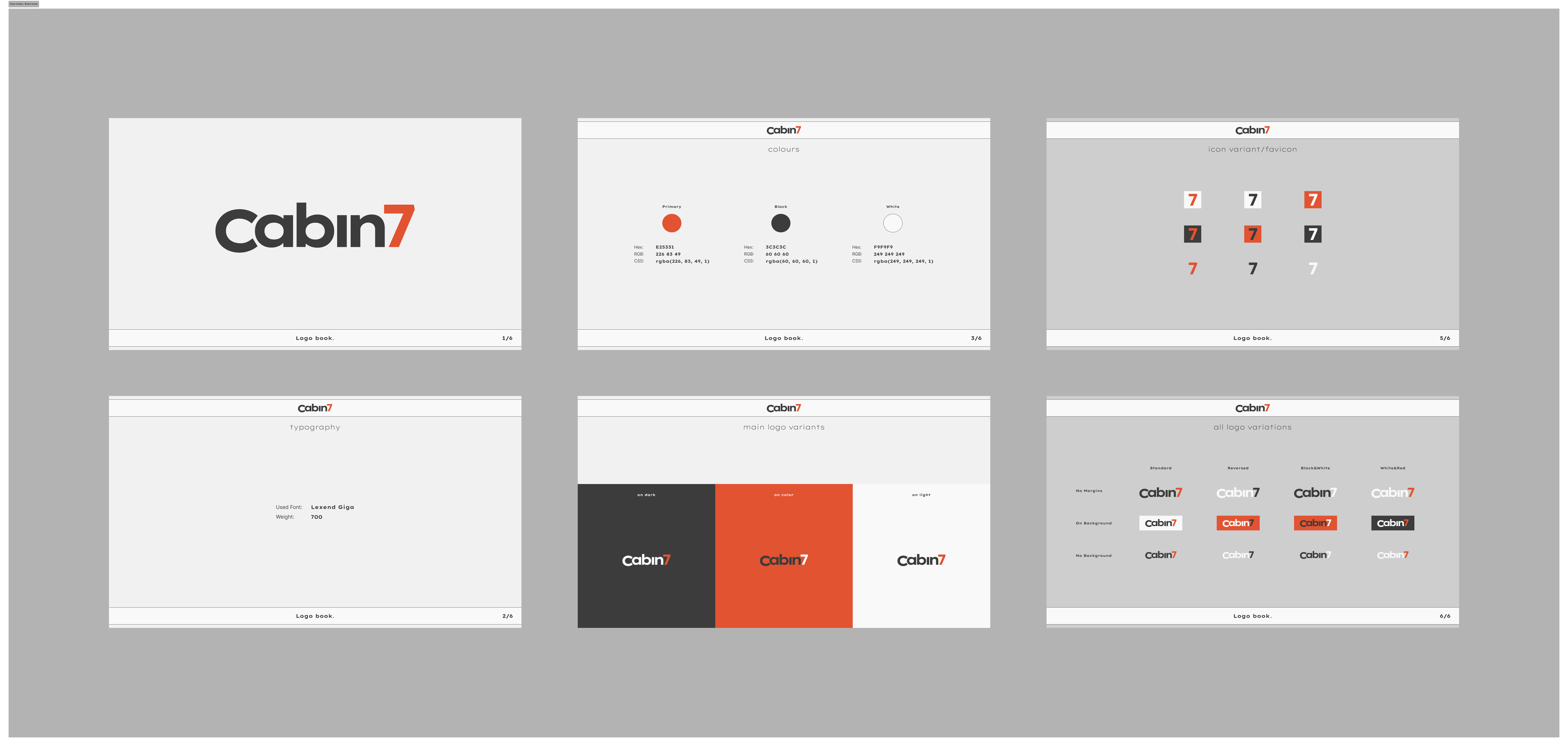
- Brand identity system
The brief
The problem, what I designed, and the result.
Cabin 7 had no existing product, no brand, and requirements that changed throughout — four complex systems to design from scratch.
Joined before any UX decisions were made and designed the complete product — form builder, workflow engine, API library, brand, and design system.
Structural decisions made early held even as specs changed, and the development team had a complete foundation — product and brand — from day one.
No reference point, changing specs, four complex systems
Most design projects have something to push against — an existing product, a stable scope, or at minimum a clear set of requirements. Cabin 7 had none of these for most of the engagement.
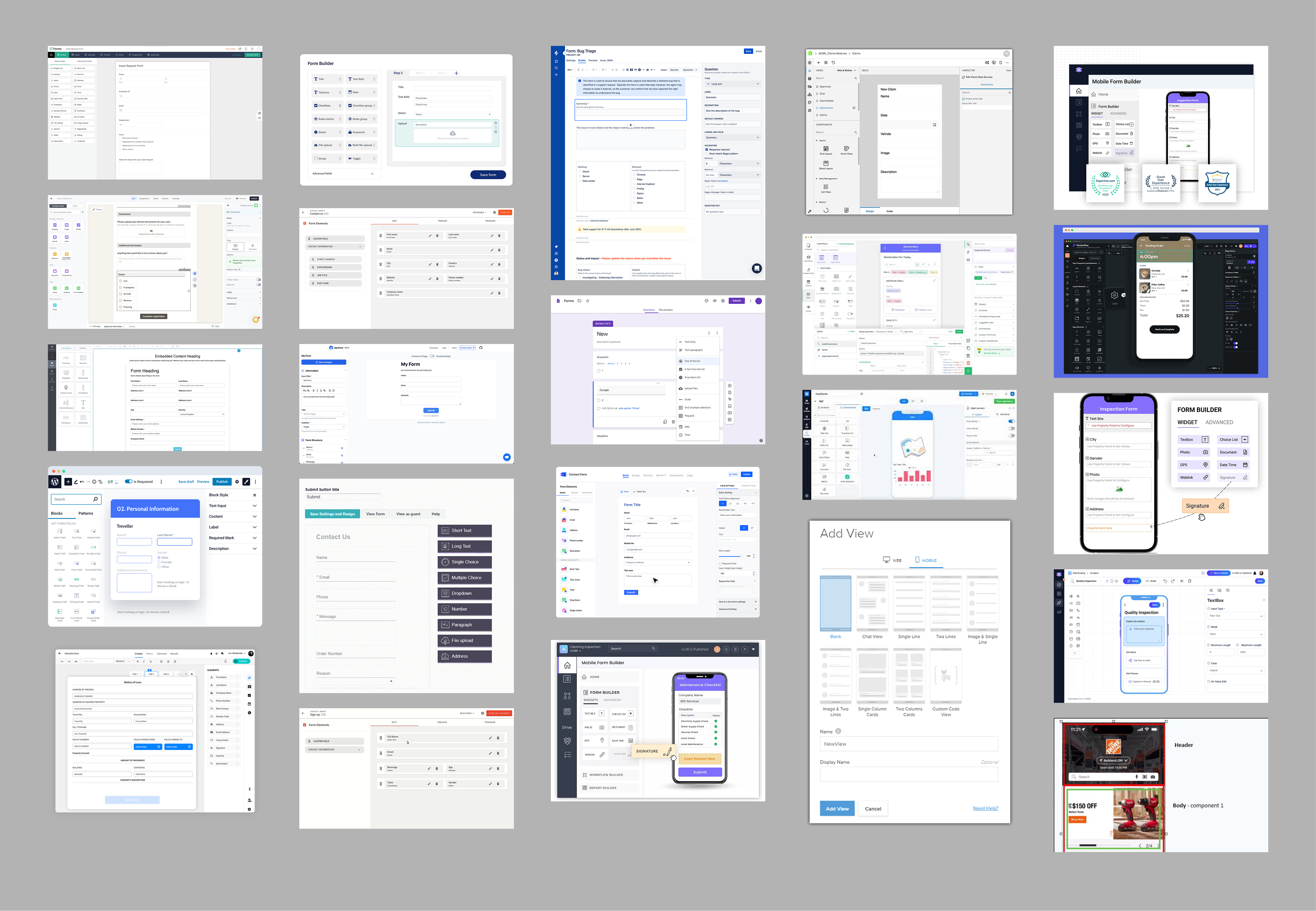
The product combined four distinct systems — a form builder, a workflow engine, an API manager, and a data transformation layer — each with its own design complexity. Requirements arrived as dense technical documents and changed throughout. The risk wasn’t making it look bad; it was building something that worked beautifully for simple tasks but collapsed when a user hit a complex workflow with branching logic and multiple connected data sources.
The approach: establish strong structural decisions early — information hierarchy, navigation patterns, terminology — and hold them even as specs changed around them. This gave the development team a stable foundation while leaving flexibility on the details.
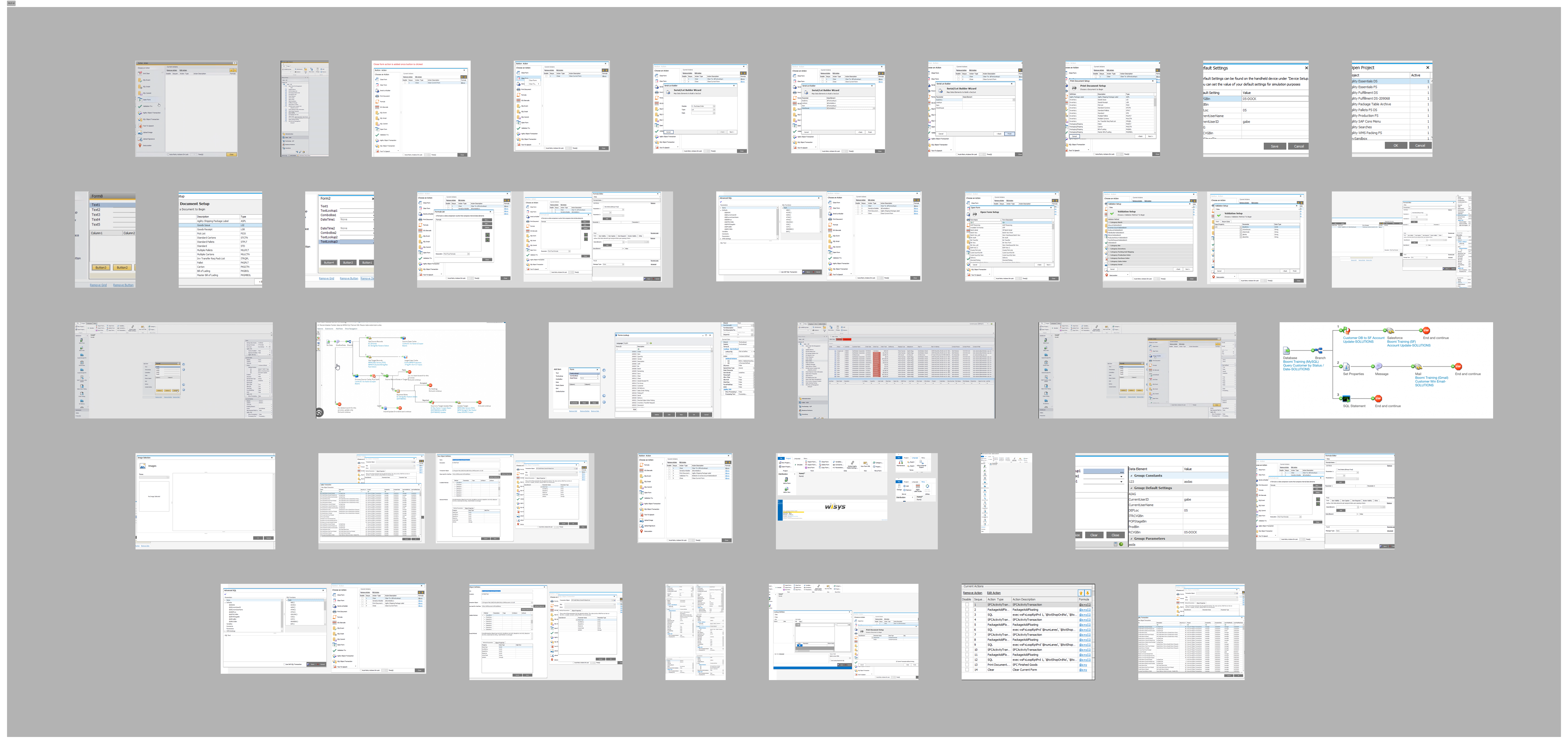
The systems designed
Form builder
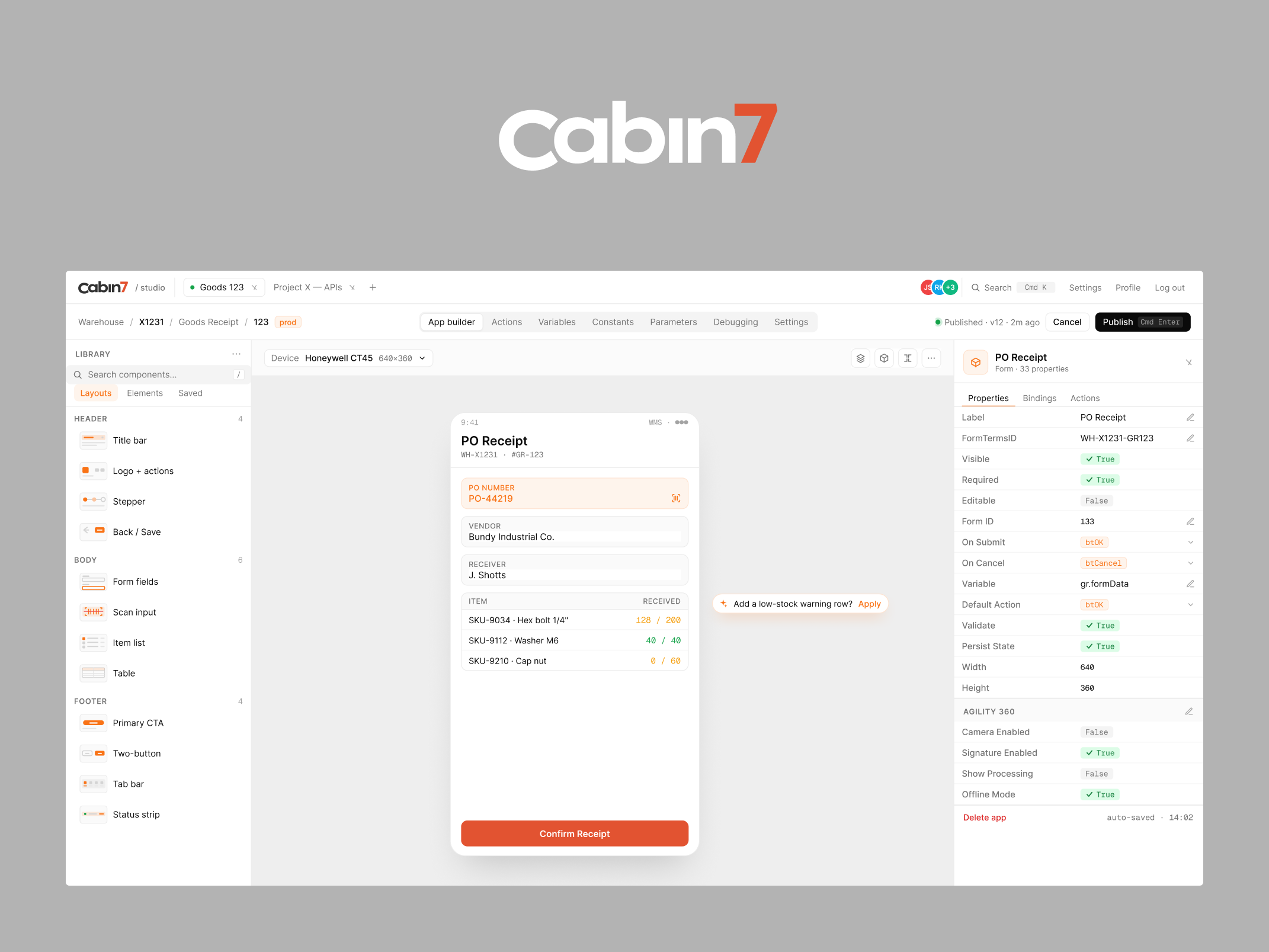
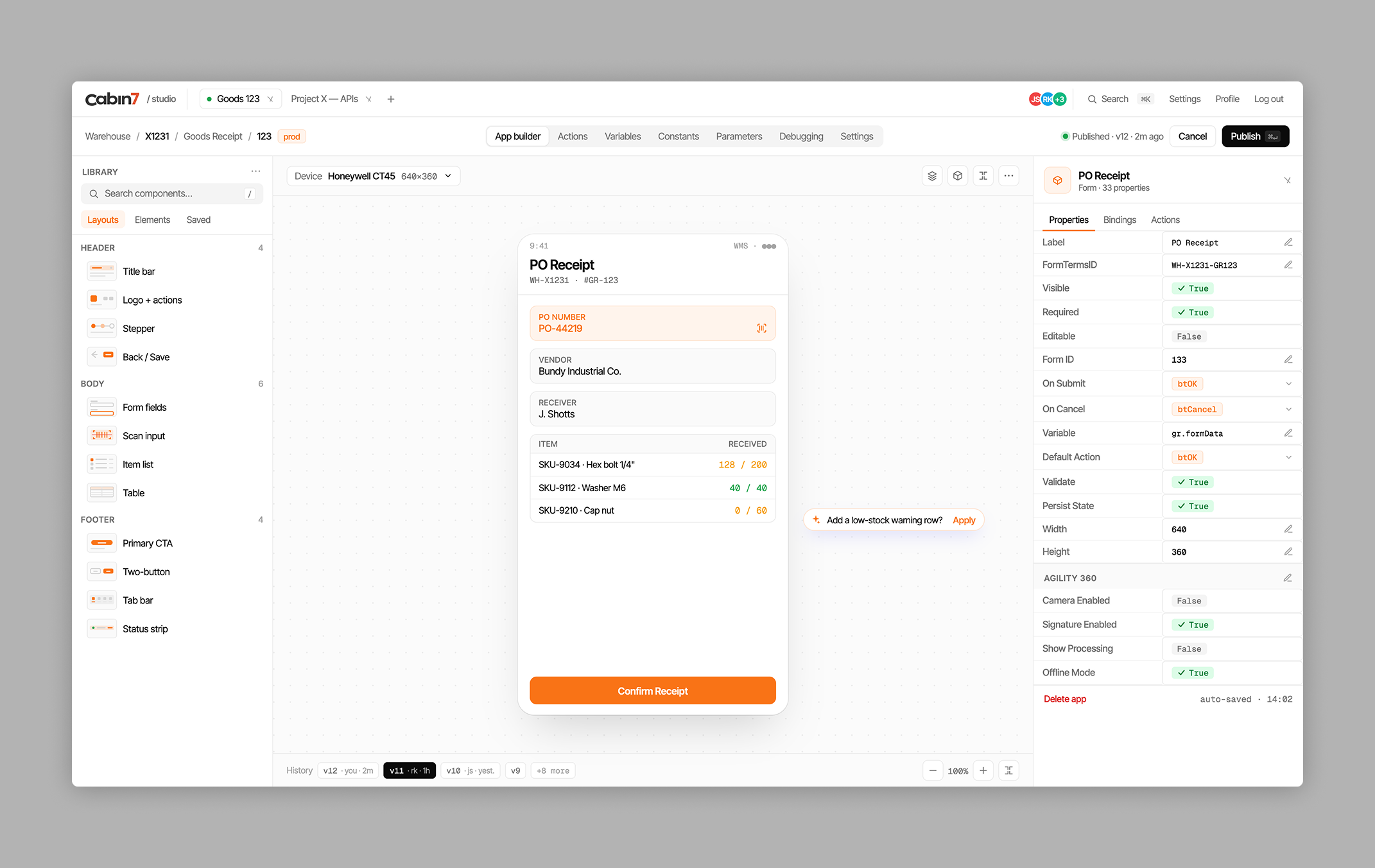
Allows warehouse administrators to create custom data-entry forms — the screens workers use on a mobile device to record information. Forms support field types, conditional logic (show this field only if that field equals a certain value), required field rules, and validation.
The design challenge: non-technical users need to build complex forms. A drag-and-drop field configuration experience was designed, with an inline mobile preview and clear affordances for setting conditional rules without requiring users to understand the underlying logic syntax.
Workflow builder — the most complex design problem
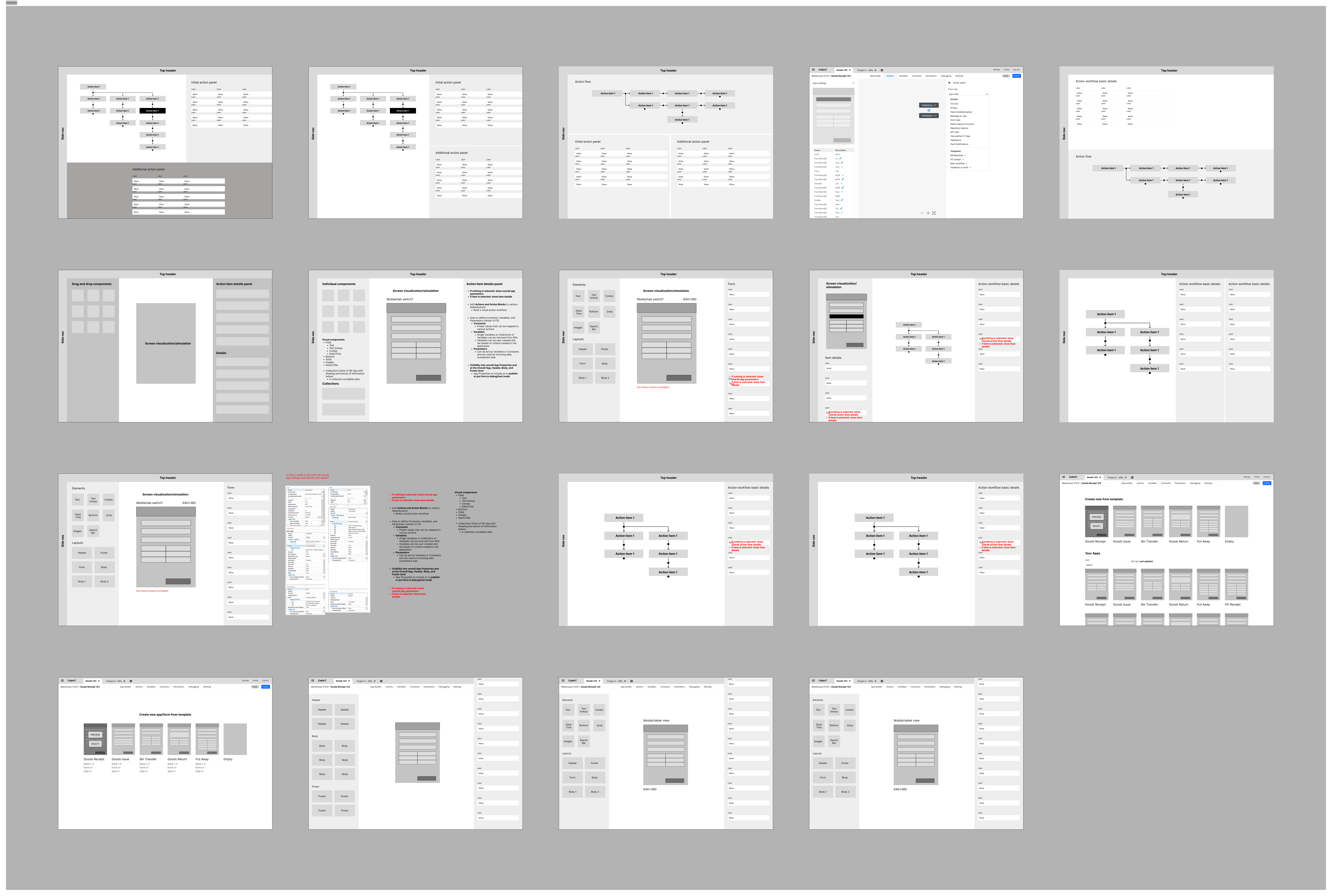
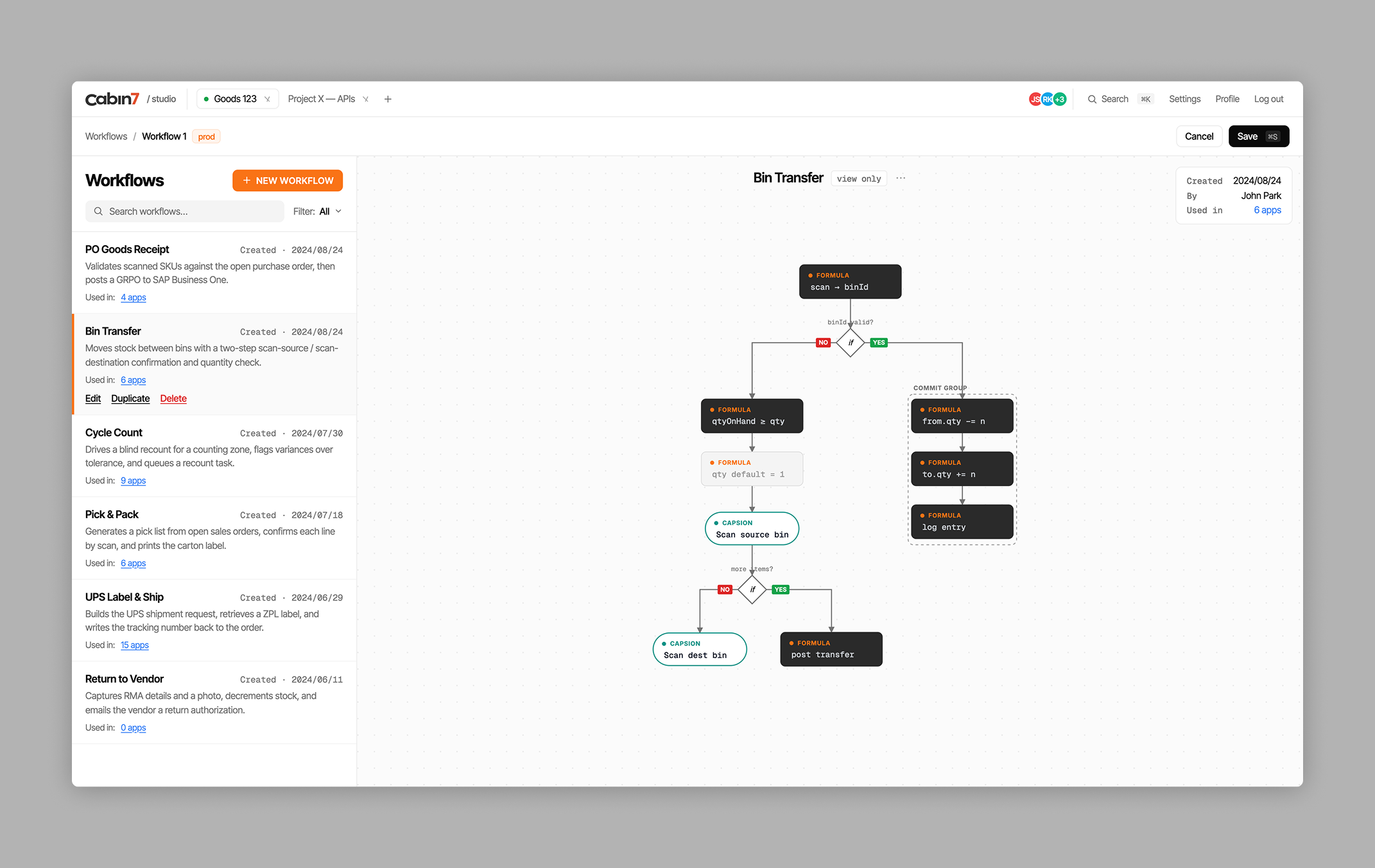
Workflows define what happens after a form is submitted — routing data, triggering actions in other systems, branching based on conditions. This was the system that required the most rounds of iteration.
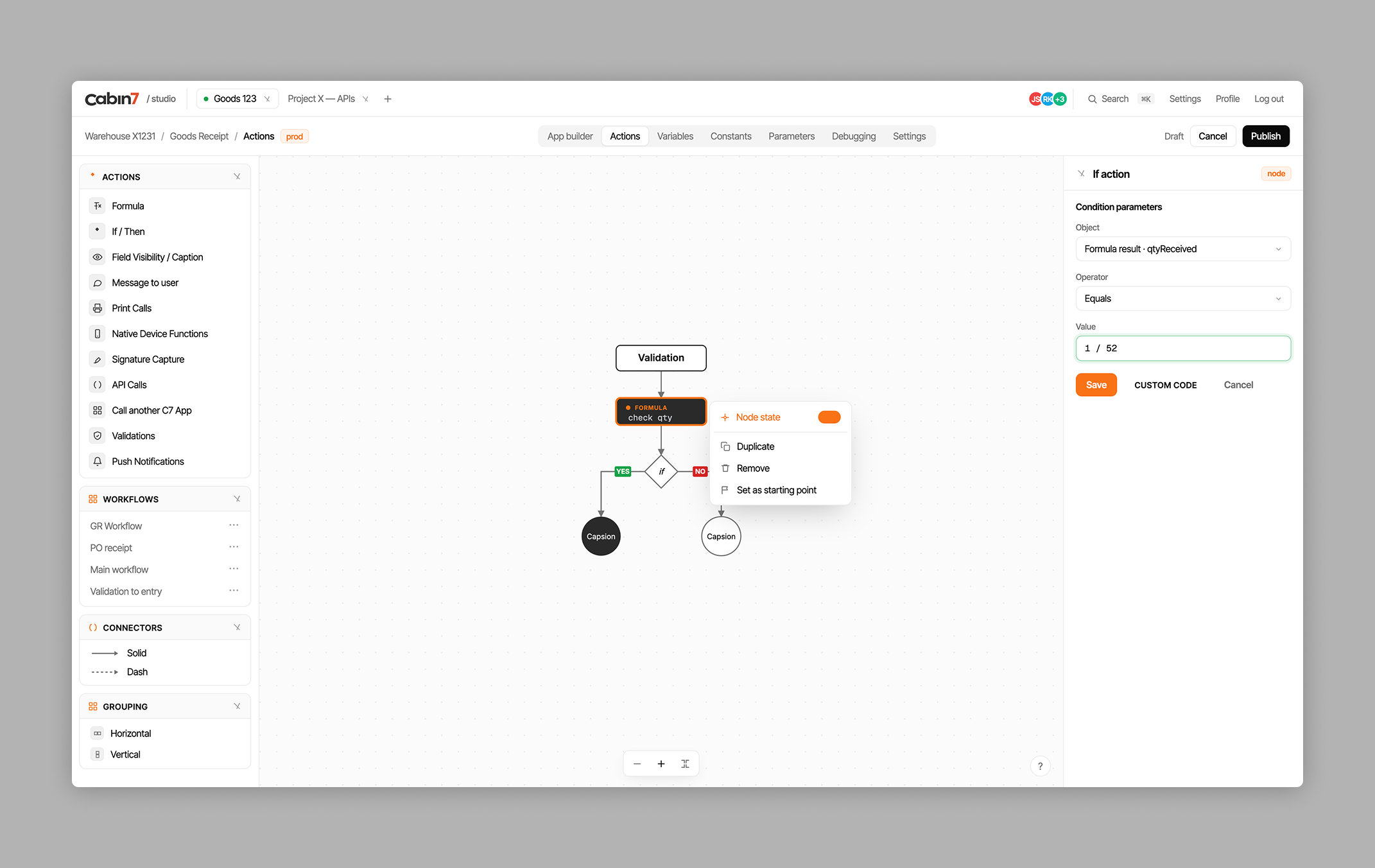
Branching logic needs to be readable at a glance — users need to understand what their workflow does without tracing through it step by step. Canvas-based approaches (nodes and connections) and linear list approaches were explored before settling on a hybrid: a linear primary path with clearly differentiated branching arms, colour-coded by condition type.
API library and connection manager
Cabin 7 connects to external systems — ERP platforms, databases, third-party APIs — to pull reference data and push results. The API library is where administrators configure these connections: authentication credentials, endpoint URLs, request parameters, and response mappings.
This is inherently technical content being managed by users who may not be developers. The API library was designed to present connection information clearly without requiring users to understand HTTP methods and JSON structures — while still giving technically literate users the detail they need to configure integrations correctly.
Data transformation — the three-column decision
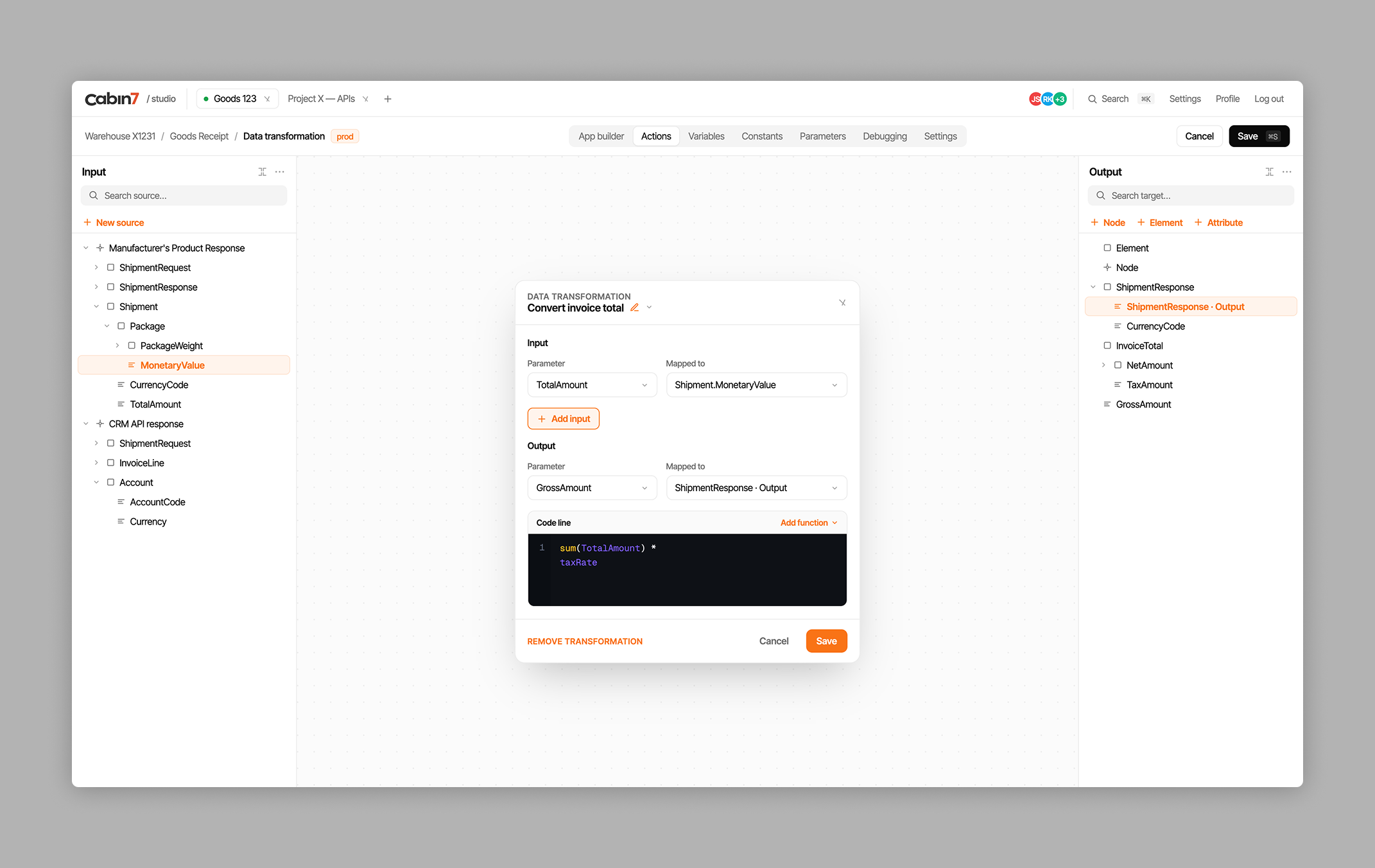
When data moves between systems, it often needs to be transformed: field names mapped, values converted, structures reorganised. The data transformation interface was the most technically abstract screen in the product.
Key design decision: a three-column layout — Input (data coming in), Transformation (the mapping rules), Output (what the data looks like after transformation). This visual structure makes the relationships between source and destination data immediately readable without requiring users to understand what’s happening underneath.
Traces — execution log and debugging
Every time a workflow runs, the execution is logged as a trace. Traces is the debugging tool for when something isn’t working — administrators can see what triggered the workflow, what steps executed, what data was passed between steps, how long each step took, and where errors occurred. Clear timestamps, collapsible step details, and highlighted error states were the core design requirements.
%201.png)
Action builder and app deployment
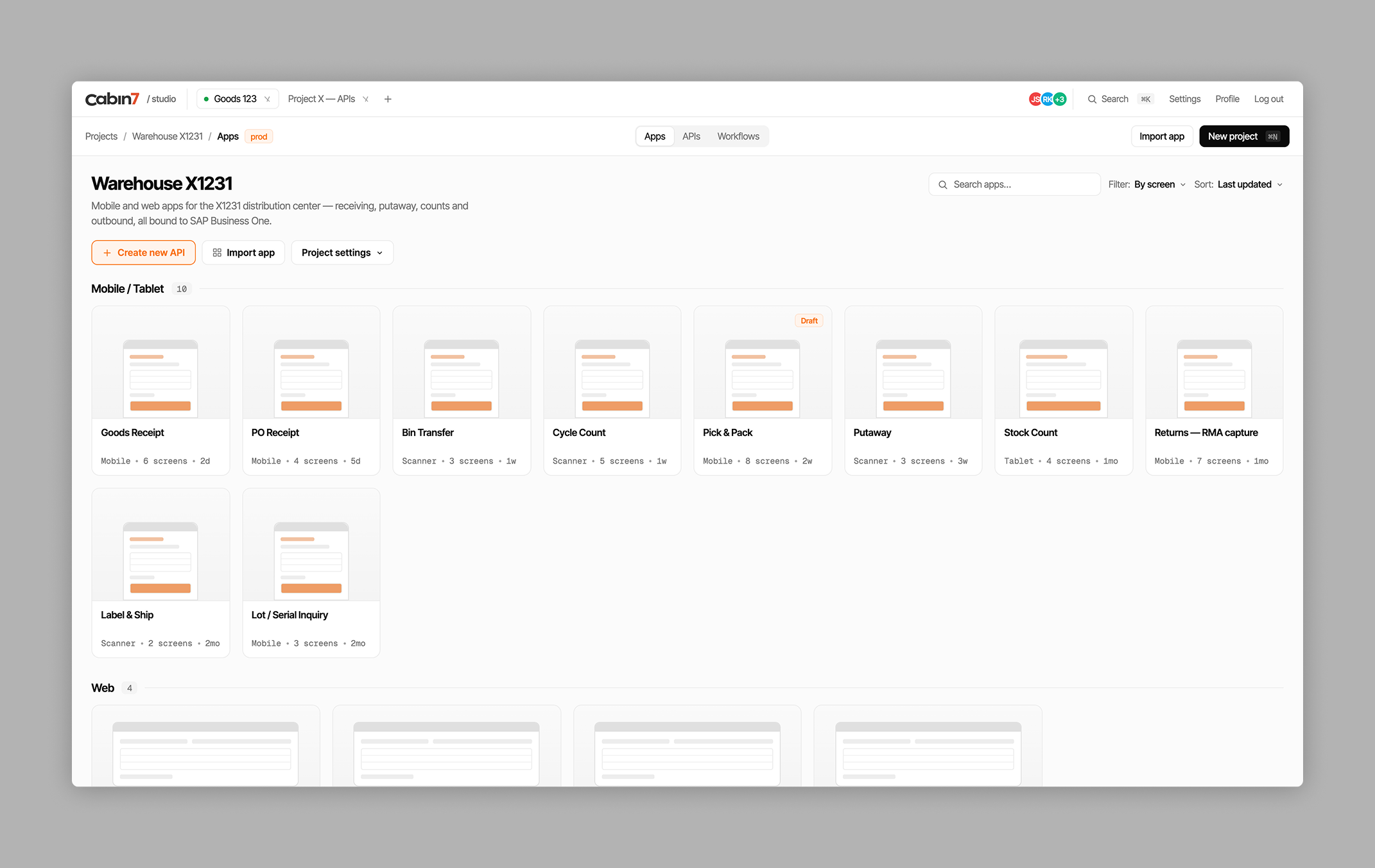
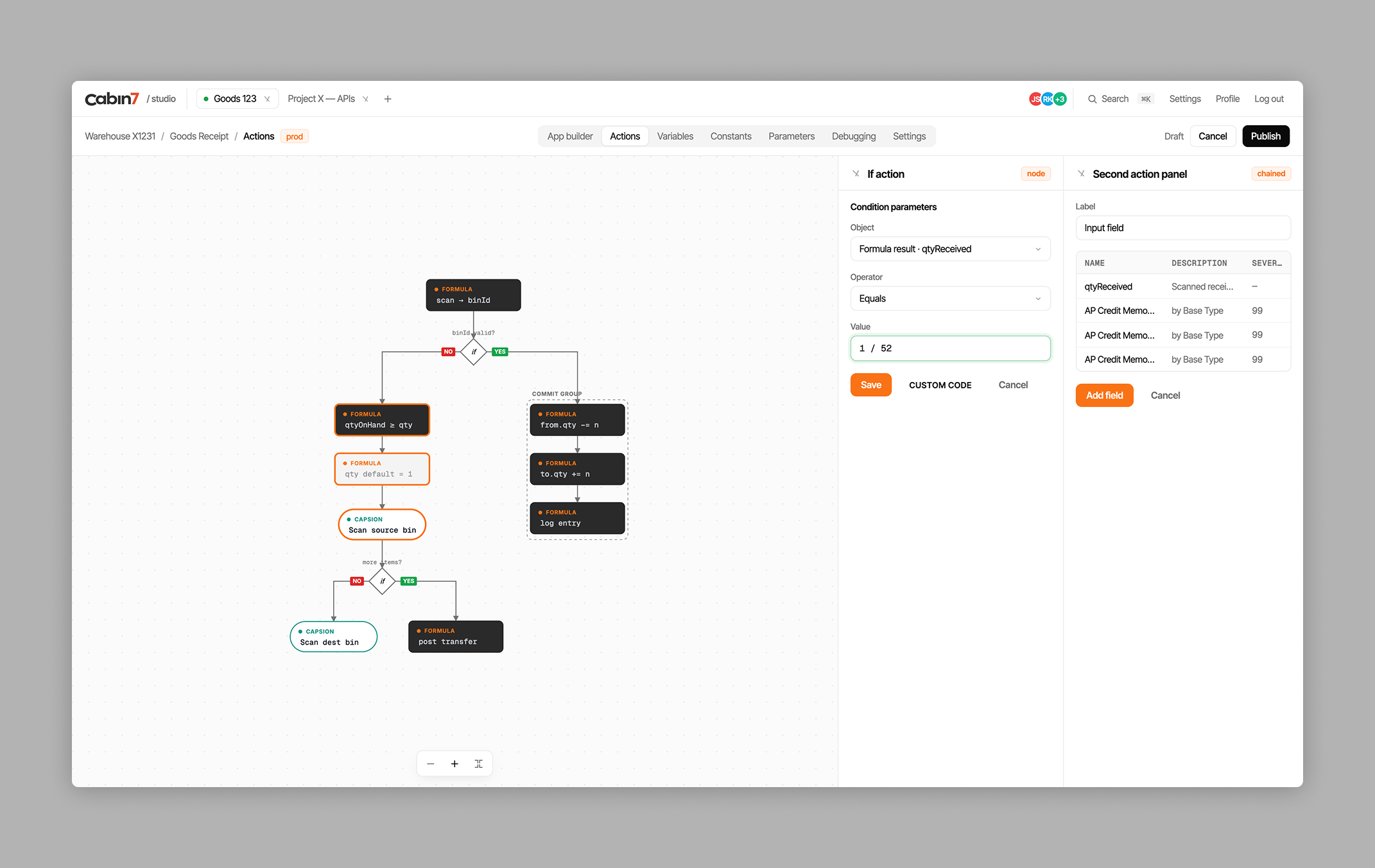
The action builder handles complex multi-step actions including chained operations — where the output of one step feeds directly into the next. Once forms and workflows are configured, the app builder lets administrators preview how the final mobile app will look and behave before deploying it to the warehouse floor, including version management for rolling back if a new configuration causes problems.
Brand identity built simultaneously
Cabin 7 had no brand at the start of the engagement. The visual identity — logo, colour system, typography, and brand guidelines — was built alongside the product design, giving the development team a complete foundation from day one.
What the team said
More case studies




Book a 20-minute intro call
Slots show in your own time zone.
Let’s see if it’s a fit.
Twenty minutes is usually enough: the role, the product, and how your team works.


Ask AI about my work
AI answer, based on my case studies and CV
Answers show up here as they're written. I keep them short and point you to the case study they come from.
AI can get things wrong. If something matters, check the case study or email me at hi@gytismark.com.