Equipment inspection app
Arnlea’s Intrinsix is a mobile and tablet application used for equipment integrity inspections in hazardous industrial environments — oil and gas installations, offshore platforms, and similar sites where conditions are difficult and accuracy is non-negotiable.
The existing app had usability problems that were causing inspectors to make mistakes, work slower than necessary, and rely on paper-based backups the software was supposed to replace. The full application was redesigned.
Outcomes
What changed because of the work.

What I designed
The things I designed and shipped on this project.
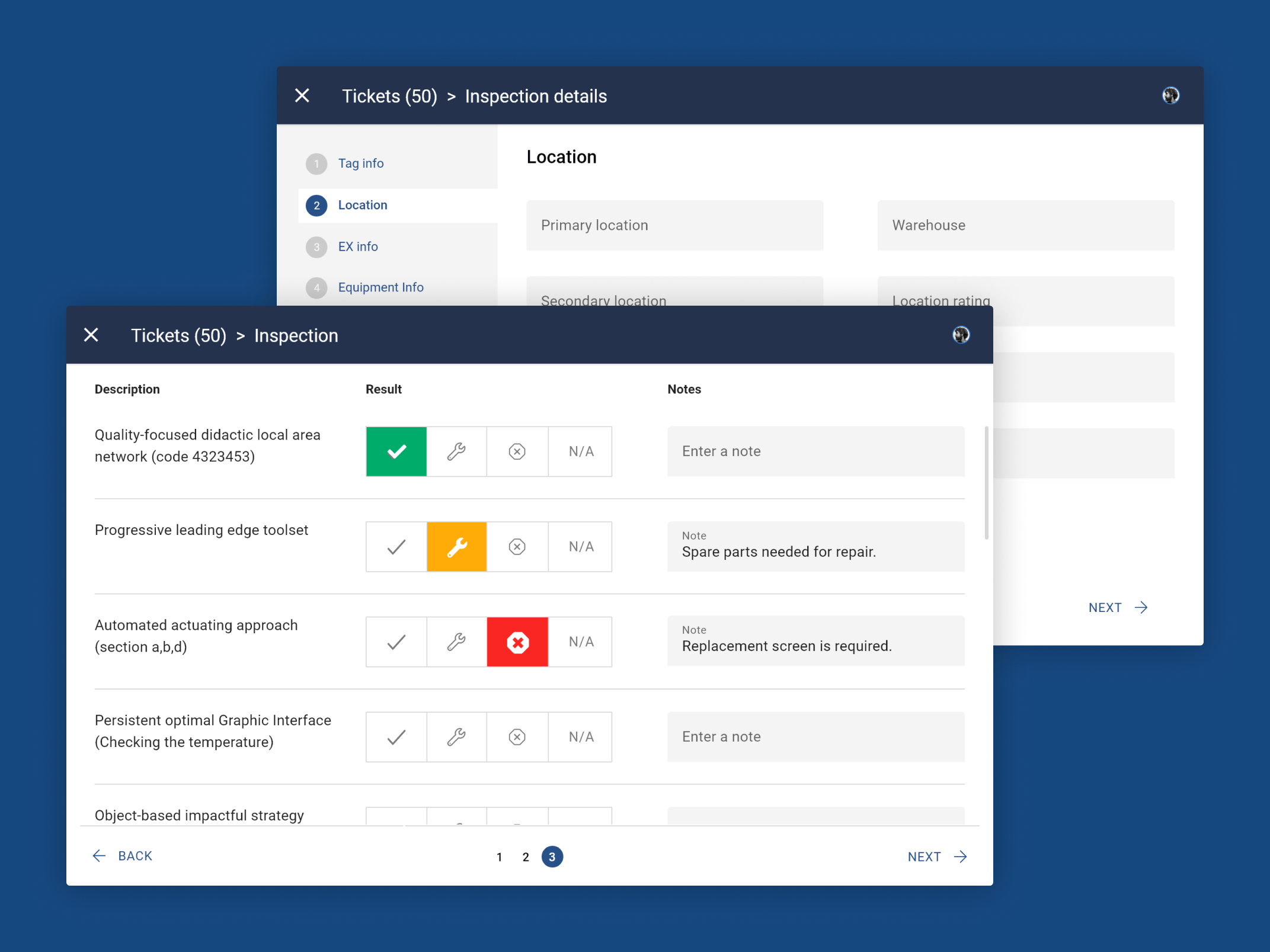
- Structured inputs instead of free text
- Enforced step-by-step procedures
- Full offline mode with automatic sync
- High-contrast UI for outdoor use and gloved hands
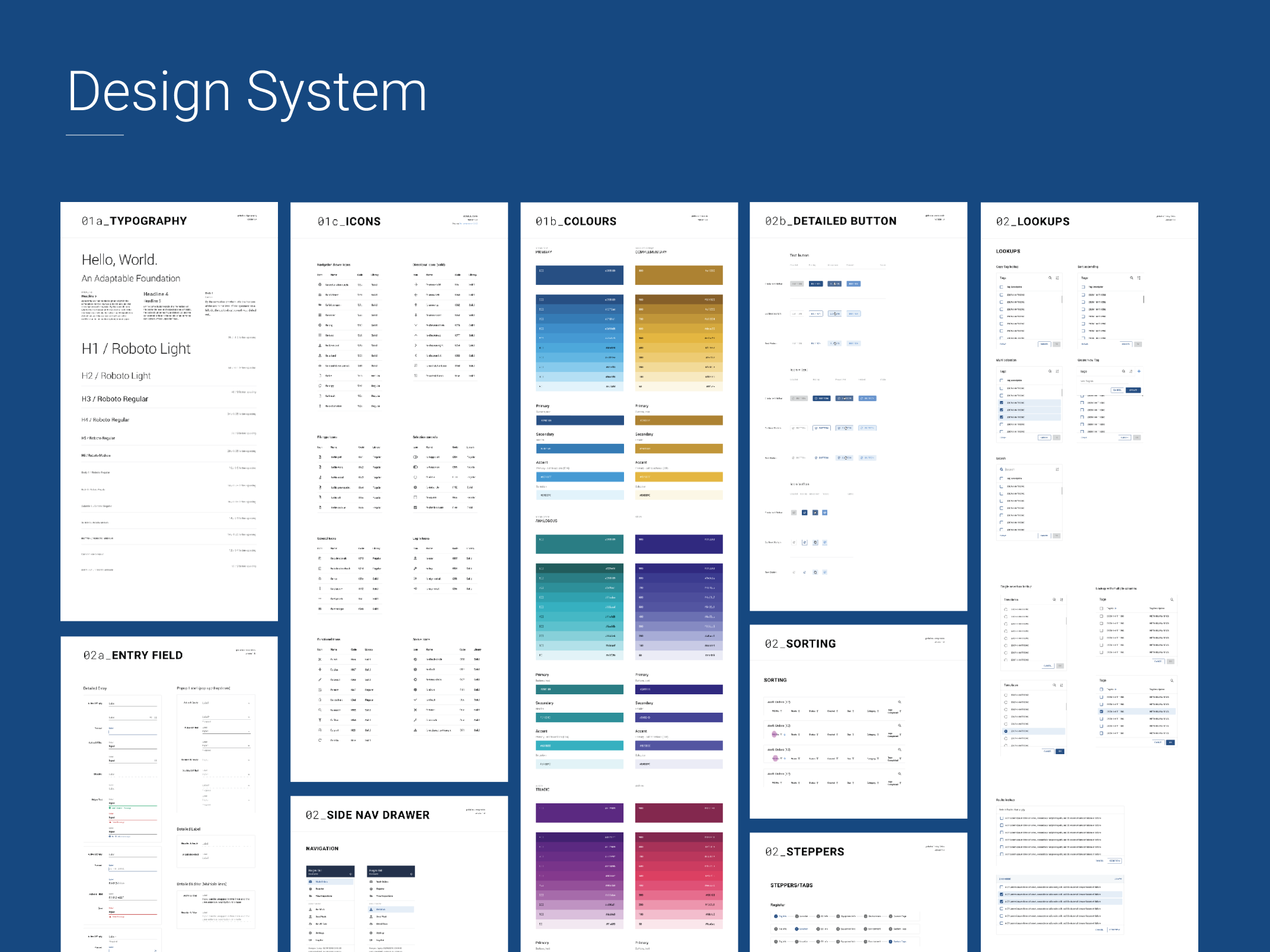
- Complete design system
The brief
The problem, what I designed, and the result.
Usability problems were causing inspectors to make mistakes, work slower than necessary, and rely on paper backups the software was supposed to replace.
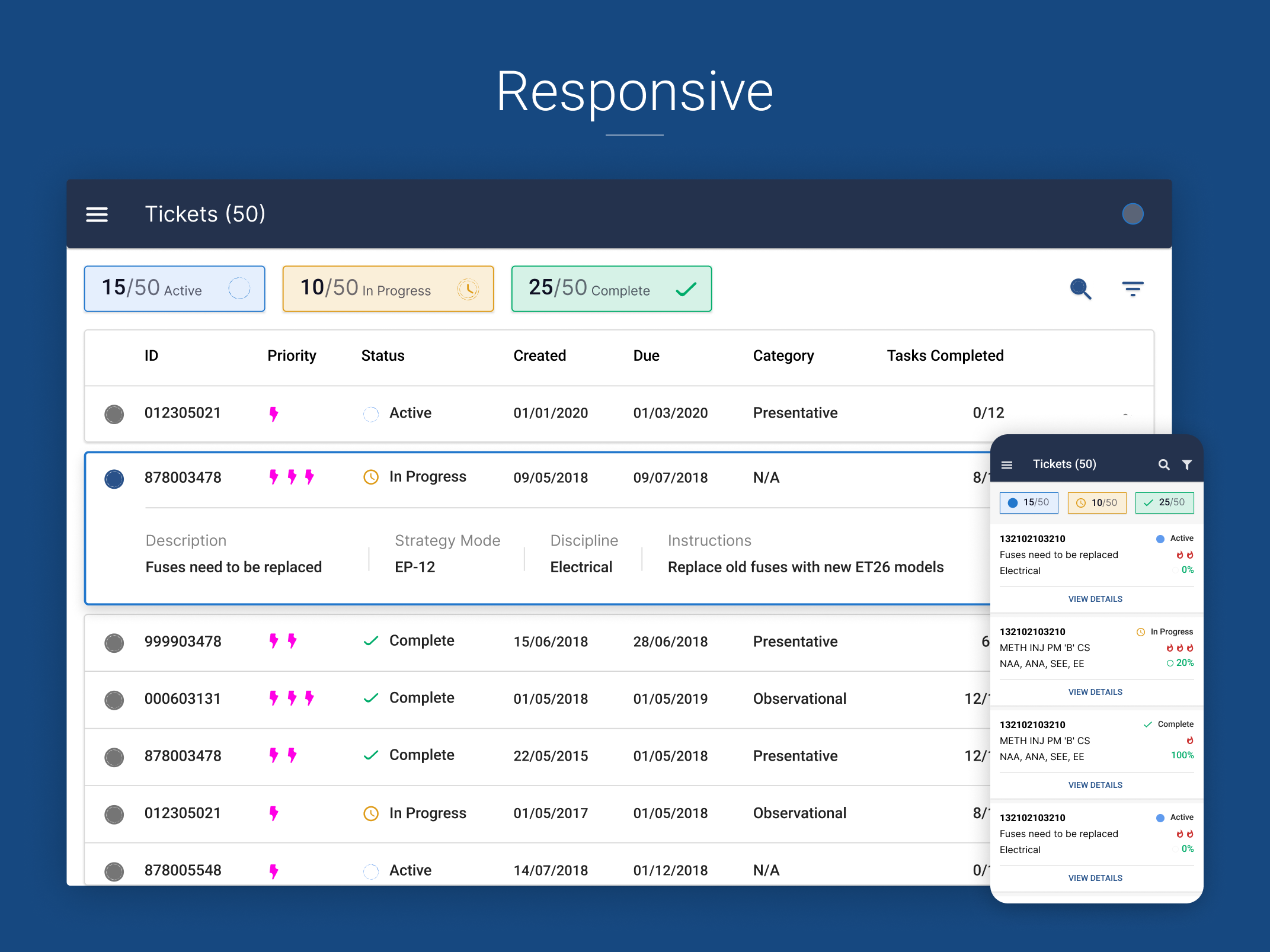
Redesigned the full Android app — structured inputs, enforced step sequences, and offline mode for hazardous environments.
A redesigned phone and tablet app with a complete design system, built to make accuracy the path of least resistance — including offline mode with automatic sync and an interface made for outdoor use and gloved hands.

You cannot design this from an office
The most important decision made at the start: field research is not optional for a product like this. You cannot design for an inspector doing rounds on an offshore installation by sitting at a desk and making assumptions.
The real conditions of use were studied directly:
- Equipment worn in hazardous environments — PPE, safety gear, conditions where removing a glove to use a touchscreen is not practical
- Inspections conducted under time pressure in outdoor conditions with variable lighting
- Data entry that has to be done accurately under cognitive load, often while managing physical access to equipment
- Connectivity frequently absent — underground, remote sites, or offshore where no signal is available
User personas were developed and the full inspection workflow was mapped — not just the digital touchpoints, but what inspectors were doing before they opened the app, what happened while using it, and what they needed after. This opened up design opportunities invisible from the interface alone.
Critical finding: the highest-risk moments for human error weren’t in the most visually complex parts of the interface. They were in places that looked simple — free text fields, multi-step procedures without enforced sequence — where the absence of guardrails was causing problems that accumulated over time.
The design decisions that reduced errors
Replacing open text with structured inputs
Free-text fields throughout the app were a source of inconsistency and downstream data problems. The same equipment type was being entered five different ways — making data unreliable for reporting and audit trails.
Decision: replace open text with structured dropdowns and pre-defined options wherever accuracy mattered. This eliminated a whole class of data errors and made the output reliable enough to act on.
Enforcing step-by-step sequences
Complex inspection procedures could previously be completed in any order — meaning steps were sometimes missed or done incorrectly without the system flagging the gap.
Decision: enforce sequential steps for any procedure where order matters. Inspectors can’t skip ahead or mark a procedure complete with steps outstanding. This eliminated a category of errors that had previously been invisible until an audit revealed them.
Designing for gloves and outdoor conditions
The visual interface was rebuilt with:
- High-contrast colour scheme readable in bright outdoor light and low-light indoor conditions
- Enlarged tap targets throughout — sized for use with safety gloves, not bare fingers
- Clear, unambiguous state indicators readable at a glance without needing to read small text
Offline first
Connectivity on offshore platforms and underground sites is unreliable. The old app would fail or lose progress when the connection dropped — in practice meaning inspectors were carrying paper backups and manually re-entering data later.
The redesigned app works fully offline. Inspection data saves locally as the inspector works and syncs automatically when a connection becomes available. The paper backup workflow was eliminated.
What was delivered
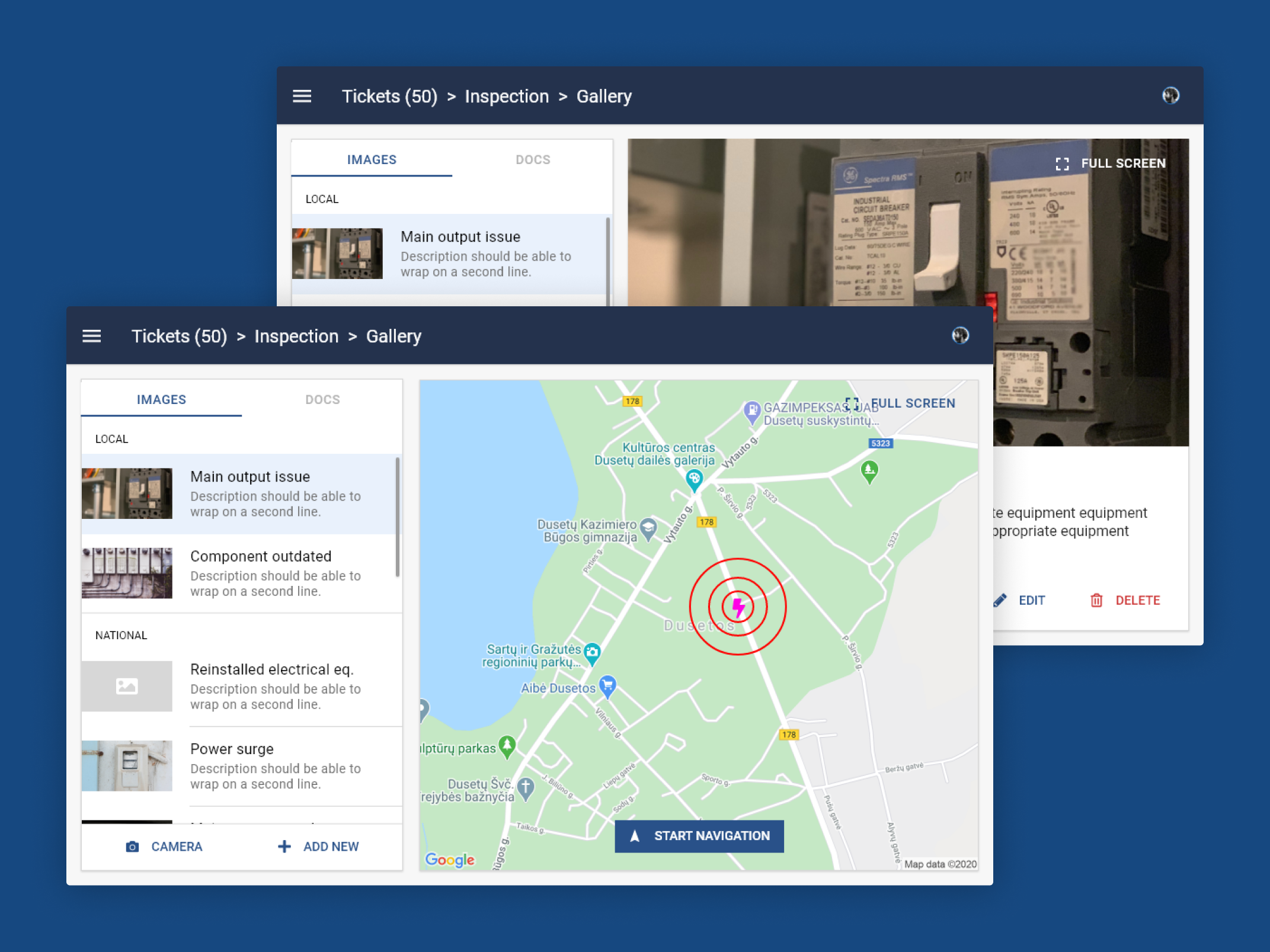
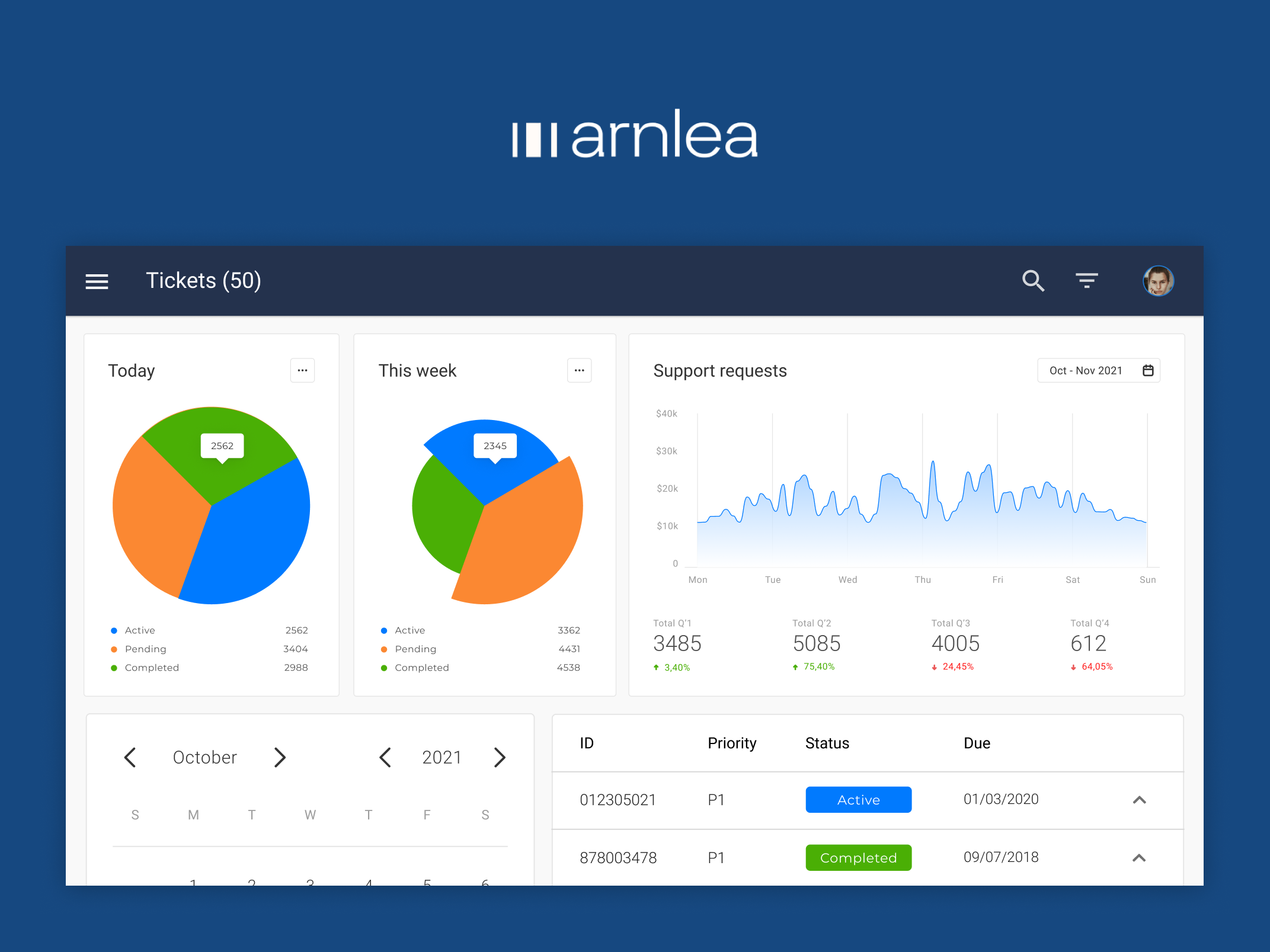
- Fully redesigned Android application for phone and tablet
- New information architecture following the natural sequence of a real inspection
- Structured inputs replacing free text across the app
- Enforced step-by-step sequences for complex procedures
- Fully functional offline mode with automatic sync
- Visual interface optimised for outdoor use and gloved hands
- Complete design system with all assets required for implementation
In safety-critical inspection environments, the consequences of data errors extend beyond the app — they affect maintenance decisions, compliance audits, and in the worst cases, equipment failures. Designing the interface to make accuracy the path of least resistance was the defining goal.
What the team said
More case studies



Book a 20-minute intro call
Slots show in your own time zone.
Let’s see if it’s a fit.
Twenty minutes is usually enough: the role, the product, and how your team works.


Ask AI about my work
AI answer, based on my case studies and CV
Answers show up here as they're written. I keep them short and point you to the case study they come from.
AI can get things wrong. If something matters, check the case study or email me at hi@gytismark.com.