How to Introduce AI Into Your Product Team Without Wrecking Your Product
A practical guide for founders, PMs, and team leads — based on a year of integrating Claude into real design teams

A practical guide for founders, PMs, and team leads — based on a year of integrating Claude into real design teams
Somewhere in your company right now, someone is opening Claude or ChatGPT, generating a screen in thirty seconds, and quietly wondering — do we even need a designer anymore?
I want to answer that question properly in this article.
Over the last year I've integrated Claude into three different design teams. Three different products, three different sets of problems. This guide is everything I'd want a founder, PM, or team lead to know before making decisions that affect their product, their team, and their users.
1. What "designing with AI" actually means in practice
Designing with AI doesn't mean typing a sentence and getting a finished product. Social media sells the idea that you can describe a feature and a shippable product comes out the other end. That's not what happens. I've seen teams try that and then spend a lot of time cleaning up the mess.
AI has real potential — if you set it up properly. The teams I've worked with that got real results didn't replace designers with AI agents. They used AI inside a process led by experts, from start to end.
Here's the honest summary of where AI helps a product team. The brief still needs a human. The final check still needs a human. AI speeds up what's in between — exploring ideas, making versions, writing documentation, building first drafts. In my experience, the exploration and iteration phases can go several times faster. The teams that see the biggest gains aren't the ones who moved fastest. They're the ones who understood where AI earns its place and where it doesn't.
2. The failure mode that costs companies the most
The most expensive AI mistake I've seen isn't "AI made something bad." It's "AI made something that looked good, but actually wasn't" — and nobody caught it until it shipped.
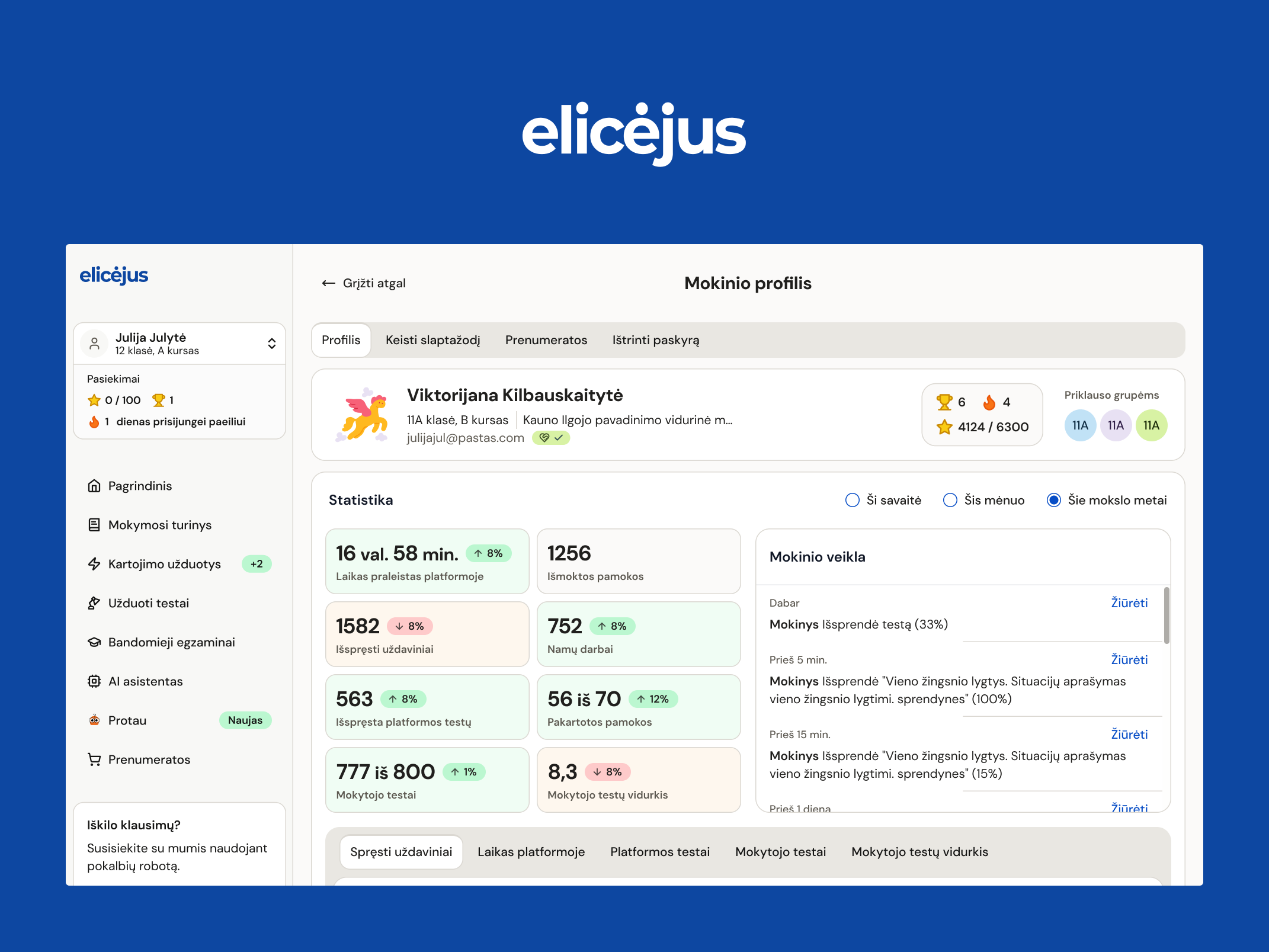
Here's what that looks like on a real product. One of the platforms I design is an AI-powered learning platform used by tens of thousands of students. On paper, a test screen is simple: the student opens the test and takes it. In reality, that one screen needed six different states. What does the student see when the test hasn't opened yet? When it's open? When the deadline is only hours away? When time runs out while they're in the middle of it? When they finished? When they missed it completely? Each state needs its own message and its own logic.
Ask AI to design that test screen and you'll get a clean page in under a minute. It will show the version where everything goes right — because that's what the prompt described. The other states won't be there unless someone who knows the product asks for them. And a student who misses a test because the screen never warned them doesn't care how clean the page looked.
I see the same pattern on lending platforms, identity verification flows, and B2B tools that serve several user types at once. What happens when an investment listing has incomplete data? When a document check fails? When a buyer and a seller need to see the same page differently? The happy path is only a small part of the real design work. The rest lives in the moments when something goes wrong.
If you take one thing from this article, take this: the risk isn't clearly bad output. Bad output gets caught. The risk is confident, professional-looking output with invisible gaps. Your process needs to be built to catch exactly that.
3. The process structure that actually catches it
The fix is structural, not a mindset shift. Split the work into three stages and give each one a clear owner: describe the problem, generate designs, pick the right solution.
Describe the problem. A human — PM, designer, whoever owns it — writes down what you're solving and what "done" looks like. This includes the states where things go wrong, not just the happy path. On the learning platform above, this is where the six test states get written down, before any design exists.
Generate designs. This is where AI earns its place. Once the problem is described well, AI can produce many directions fast. A week of exploring can become an afternoon. This speed is real.
Pick the right solution. A human checks the output against the problem description. Not by asking "does this look right?" but by going through the list from step one. If you wrote down the edge cases up front, this step becomes a checklist, not a guess.
The companies getting burned skip from a rough prompt straight to shipping. The companies getting real speed gains do all three stages — they've just made the middle one much faster.
One more thing: write the checking step into your actual process, with a named owner. If the step isn't assigned to a person, it won't happen reliably.
4. The 5-question audit before anything ships
This is the checklist I run before any AI-assisted design goes out. Steal it as-is.
- Does it use your existing design system components, or did it invent new ones? AI will sometimes create a new button style or spacing pattern instead of using the one you already approved. Left unchecked, this is how a product ends up with five slightly different button styles in a year.
- Do the failure states from your problem description actually appear in the design? Every error, empty state, timeout, and edge case you wrote down up front — is it there? This is the direct check against the "looked good, but wasn't" failure mode.
- Does it hold up beyond the demo scenario? What happens with long text? With zero data? With a thousand rows instead of ten? On a slow connection? On a small screen? AI-generated work is usually built around the one perfect scenario in the prompt. Data-heavy products almost never live in that scenario.
- Is it consistent with the rest of the product? Not just visually — behaviorally. Does this flow use the same patterns, words, and logic users already learned elsewhere in your product?
- Would this survive contact with your most experienced designer or engineer? If nobody with real shipping experience has looked at it, it hasn't been verified. It's been glanced at.
If you're a non-designer CEO or founder reviewing AI-assisted work, these five questions are also your review script. You don't need design training to ask them — and asking them consistently changes what your team produces.
5. What needs to be in place before AI can help
Most teams skip this part, and it's why their AI adoption stalls after the honeymoon.
Your design system comes first. AI output is only as consistent as the system it references. If your design system is messy or incomplete, AI will faithfully reproduce that mess, just faster. Fixing your design system before scaling AI usage pays for itself many times over. This is the single most valuable preparation step, and the least glamorous one.
Your documentation matters more than it used to. AI can only respect rules it can see. Complex products are full of rules that exist for a reason — a workflow that looks slow but exists for compliance, a check added after a real incident. If that knowledge lives only in people's heads, AI will confidently design around it. Writing down what your team knows used to be a nice-to-have. Now it's the difference between AI that helps and AI that quietly brings back problems you already solved.
A pilot area, not a rollout plan. Don't run your first AI-assisted work on your core investment flow, your identity checks, or anything with legal weight. Start with internal tools, early concepts, or places where a missed edge case costs you an afternoon, not a customer. Prove the process works where mistakes are cheap. Then expand.
6. Where Claude Design fits in
Anthropic launched Claude Design in April 2026. It's still in research preview, so expect it to keep changing — check the current state before you build workflows on it. It lets you create designs, interactive prototypes, slide decks, and one-pagers through conversation, then refine them with direct edits and comments. It's included with paid Claude plans; on Team and Enterprise plans your admin may need to turn it on.
Here's my honest read on where it's useful, by role:
For PMs and founders, this is the biggest unlock. You can go from an idea to something visual before the first design meeting — a wireframe, a clickable prototype, a flow sketch. That changes the quality of the conversation with your design team. Instead of describing an idea in words and hoping it lands, you show a rough version and the discussion starts from something concrete. But be clear about what this is: a strong draft, not a finished product. A PM using AI can produce something that looks done. A designer will find the things that aren't — edge cases, consistency, flows that break for real users. The gap isn't looks. It's judgment.
For designers, the value is exploration width. Even experienced designers ration exploration — there's rarely time to try ten directions, so you settle for two or three. With generation this fast, you can explore widely and let more directions compete. Static mockups can also become shareable interactive prototypes for user testing, without waiting on engineering time.
For the whole team, the design system feature is the one to watch. Claude Design can apply your team's design system to what it generates by reading your design files and codebase — which directly helps with audit question one. The honest caveat, which Anthropic itself admits: this works best with a clean codebase and a clean system. Messy source produces messy output. Which brings us back to section 5 — the design system work comes first either way.
Outputs export as PDF, PPTX, shareable links, or to Canva for team editing, and prototypes can be handed to Claude Code to build. That last handoff — prototype straight into a coding agent — is where I think the most interesting changes are coming. It's also the newest and least proven part. Treat it as an experiment, not a foundation.
7. A note for complex, data-heavy, and legacy products
If your product is a fintech platform, an enterprise system, or anything with real regulatory weight, the guidance shifts.
Use AI heavily for what it's genuinely good at in your context: speeding up exploration, drafting, and pulling context out of your documentation. Keep firm human ownership over anything touching compliance-sensitive flows, core business logic, or decisions that depend on knowledge nobody wrote down.
The expensive mistakes here happen when a team trusts AI output in a high-stakes area with the same casual confidence they'd give it for a marketing landing page. Those are not the same risk level, and they shouldn't get the same level of trust.
8. What happens to your team
The question everyone's thinking but not always asking out loud: do you still need a design team?
Yes — but the shape of the work changes. A designer's time has always split between production (making the screens) and judgment (deciding what to make and whether it's right). AI compresses the production side dramatically. It does nothing for the judgment side. If anything, judgment matters more now, because there's more output to check.
Practically, this means the skill that matters when hiring is shifting. It's less "can you operate the tool" and more "can you describe a problem precisely enough to catch the edge cases before generation starts — and do you have the judgment to run the five-question audit honestly instead of rubber-stamping it." Describing problems and picking the right solution are senior skills. Companies that cut their design teams expecting AI to fill the gap tend to find this out later — not as an obvious failure, but as product debt that shows up as churn.
The goal was never "use more AI." The goal is faster, better, cheaper outcomes for your product and your users. If AI isn't clearly serving one of those three in a specific case, don't force it in.
9. The Monday morning playbook
If you want to act on this immediately, here's the order to do it in.
- Fix your design system before you scale AI usage. Everything downstream depends on it.
- Pilot on something low-stakes. Internal tools, early concepts — not your core flows.
- Write the checking step into your process with a named owner. Describe the problem → generate designs → pick the right solution, with the five-question audit as the checklist.
- Train your team on describing problems and judging output, not on tool usage. The tools change monthly. Those skills don't.
That's the whole playbook. Four steps, in that order.
A closing thought
AI gives you real speed in design. It does not give you a shortcut around judgment — and the companies treating it like one are quietly building up the kind of product debt that shows up as churn months later, not as an immediate failure.
The companies getting it right aren't the ones moving fastest. They're the ones who put a real process around a faster engine.
If you're working through exactly this — building the process, fixing the design system foundation, figuring out where your team's judgment needs to sit — I'd genuinely like to hear how you're approaching AI in your team, what's working, and what isn't.
Gytis Markevičius
Product Designer — gytismark.com
More writing

Book a 20-minute intro call
Slots show in your own time zone.
Let’s see if it’s a fit.
Twenty minutes is usually enough: the role, the product, and how your team works.


Ask AI about my work
AI answer, based on my case studies and CV
Answers show up here as they're written. I keep them short and point you to the case study they come from.
AI can get things wrong. If something matters, check the case study or email me at hi@gytismark.com.